Details
Product prices and availability are accurate as of the date/time indicated and are subject to change. Any price and availability information displayed on Amazon.co.uk at the time of purchase will apply to the purchase of this product.Review
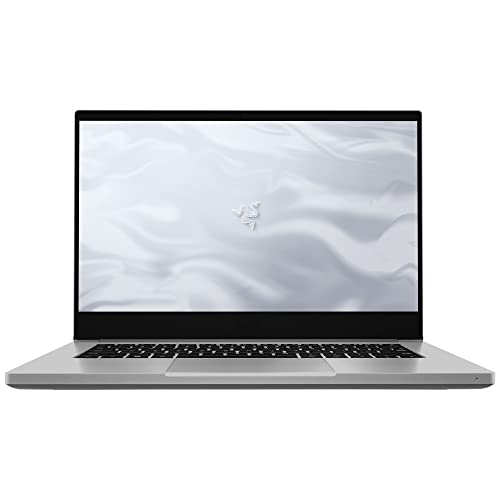
Razer Blade 14 Ryzen 9 RTX review
Frame rates
1920×1080, High preset, upscaling off.
Measured on this machine. Source: Notebookcheck, 2021-06-22.
Not scored: incomplete benchmark suite
Every scored laptop on this site is averaged over the same 5 games, and this one is short of Cyberpunk 2077, Baldur's Gate 3. A mean over 5 games is not comparable to a mean over 5, so we publish the figures we have and leave the score blank rather than rank it against machines tested on a different set. The numbers below are real - the suite is just incomplete.
How these numbers were produced
Frame rates here are not measured by us, and we label how each one was arrived at. A figure marked measured comes from a published run on that exact machine. A figure marked representative is derived from the GPU and its power limit (TGP) and cross-referenced against published reviews - a sound estimate of what that configuration delivers, but not a measurement of that specific laptop. Unless stated otherwise, numbers are 1920x1080, High preset, upscaling off. Where a laptop ships in several power configurations we use the wattage of the exact SKU listed, because a 140W RTX 5070 and a 115W one are not the same product.
In use
The short version
The Razer Blade 14 Ryzen 9 RTX is a compact gaming laptop built around a Ryzen 9 5900HX processor and an RTX 3070 limited to 100W. At its listed UK price of £1,057, it is an interesting proposition rather than an automatic recommendation. The hardware is still capable of strong 1080p gaming results, the 14in 2560x1440 IPS panel is substantially more ambitious than the basic 1080p screens often found on older performance laptops, and the 1.767kg weight is genuinely useful for anyone who needs gaming capability without carrying a much larger machine.
The important qualification is that the measured gaming figures are not uniformly exceptional. Notebookcheck’s results show a machine that can run lighter and moderately demanding games extremely well, while more demanding modern titles are clearly below the panel’s 165Hz ceiling. That is not a failure: 84fps in Cyberpunk 2077 1.6 and 75fps in Assassin’s Creed Valhalla are still credible results at 1920x1080 on the High preset with upscaling disabled. But it does mean the Blade 14 should be bought for its balance of portability, screen specification and respectable gaming speed, not because it will make every game look like an esports title.
There is also a crucial distinction between the screen’s native 2560x1440 resolution and the benchmark conditions. Every published frame rate here was measured at 1920x1080, using the High preset with upscaling off. Those figures are useful because they give a clean picture of the laptop’s underlying performance, but they are not evidence that every game will run at the panel’s native resolution at the same speed. Buyers who specifically want to play demanding games at 2560x1440 should treat the 1080p results as a performance baseline, not as a native-resolution guarantee.
The Blade 14 is best suited to someone who values a 14in chassis, wants a high-refresh QHD-class display, plays a mixture of competitive, older and mainstream games, and is willing to adjust resolution or settings in demanding releases. It is less convincing for someone who wants the highest possible performance from the RTX 3070 name, someone who expects 165fps in every game, or someone shopping primarily on price-to-frame-rate. The RTX 3070 is a capable GPU, but its 100W power limit matters: this is a portable implementation, not a high-wattage desktop-replacement version.
The strongest argument for the Razer is therefore not a single spectacular benchmark. It is the combination of 164fps in The Witcher 3, 163fps in Strange Brigade, 132fps in GTA V, 112fps in Dota 2 and a 1.767kg weight. That is a useful range of results for a laptop that is intended to be moved around. The weaker part of the case is value. At £1,057, the published figures show good gaming capability, but not the kind of overwhelming performance lead that makes price irrelevant.
Performance
A 100W RTX 3070 is not every RTX 3070
The most important specification in the Blade 14’s performance story is the RTX 3070’s 100W GPU power limit. Laptop GPU names are not enough on their own. An RTX 3070 can appear in machines designed around very different priorities, including thin portable systems and much larger performance-focused laptops. The Blade 14’s configuration is clearly aimed at balancing GPU performance with the demands of a compact 14in design.
That does not make the RTX 3070 weak. Notebookcheck’s figures show that it has plenty of performance for 1920x1080 gaming at High settings without upscaling. It does, however, mean buyers should not assume that every laptop carrying the same GPU label will deliver the same result. The 100W limit is part of the specification that explains why this machine needs to be judged as a portable gaming laptop, rather than against the fastest and heaviest RTX 3070 systems available in its generation.
The benchmark data also shows why headline GPU branding can be misleading in both directions. The Blade 14 is not simply slow because it is compact, nor is it automatically fast because it has an RTX 3070. Its measured results vary substantially according to the game. That spread is normal and meaningful. Some games run at frame rates close to the screen’s 165Hz refresh rate, while others are much more demanding and land well below it. A sensible buying decision depends on which side of that divide contains the games you actually play.
The published mean across the five scoring-suite games is 112fps. That is a healthy 1080p High result for a portable laptop, but a mean alone should never be used as a promise about individual games. The same set includes 163fps in Strange Brigade, 132fps in GTA V, 112fps in Dota 2, 88fps in Final Fantasy XV and 63fps in X-Plane 11. Those are materially different experiences, even before considering the other measured games outside that scoring suite.
The useful conclusion is that the Blade 14 is quick enough to make a high-refresh display worthwhile in the right games. It is not quick enough to treat 165Hz as a universal target at these settings. That distinction matters more than a broad claim that the laptop is either “fast” or “slow”. It is fast in the titles that are likely to be limited by factors other than raw GPU demand at 1080p. It is less dominant in games that place a heavier graphics load on the GPU.
The lighter and older-game results
The Witcher 3 is the standout measured result at 164fps. On a 165Hz panel, that is extremely close to full refresh utilisation under the stated 1920x1080 High settings with upscaling disabled. It is a very strong indication that the Blade 14 can provide a fluid experience in games of this kind, and it gives the display’s refresh rate practical value rather than leaving it as a specification-sheet boast.
Strange Brigade follows at 163fps. This is another result close to the panel’s 165Hz refresh rate and reinforces the same point. In games that are relatively accommodating to this hardware at 1080p High settings, the Blade 14 has enough headroom to produce very high frame rates. For players focused on responsiveness and motion clarity in titles with similar demands, the screen is not wasted.
GTA V reaches 132fps. That is below the maximum refresh rate, but it is still well into high-refresh territory. It suggests a noticeably different proposition from a basic 60Hz gaming laptop, even though it does not fully saturate the panel. More importantly, it shows that the Blade 14 is not dependent on only the very lightest benchmark titles for its strong results. GTA V remains a useful measure of how a gaming laptop handles a widely played title at a quality-focused preset.
Dota 2 produces 112fps, exactly matching the published five-game scoring-suite mean. That result is comfortably above the level associated with basic console-style frame-rate targets, while remaining far below 165Hz. It is a reminder that a high-refresh panel does not create high frame rates by itself. The Blade 14 has the display hardware to show more than 60fps, but the actual number remains dependent on the game and its workload.
These higher frame-rate results are particularly relevant to buyers who spend much of their time in competitive games, multiplayer titles, older games or games with moderate graphics demands. Such users are likely to get more direct value from the 165Hz panel than someone whose library consists almost entirely of the heaviest recent releases. The laptop’s published figures support that split clearly.
More demanding games tell the more useful story
Final Fantasy XV runs at 88fps in the measured configuration. That is still a good result and should not be dismissed simply because it does not approach 165fps. At 88fps, the Blade 14 is delivering a substantially higher frame rate than a conventional 60Hz target, but it is also showing that the laptop’s GPU power limit becomes more visible as the workload becomes more demanding.
Cyberpunk 2077 1.6 reaches 84fps. This is one of the most informative figures in the set because Cyberpunk 2077 is a demanding game and because the result was measured at 1920x1080 on High settings with upscaling disabled. The Blade 14 is not relying on an upscaling mode to arrive at that number. An 84fps result is a respectable performance level for a portable RTX 3070 laptop, but it is nowhere near the 165Hz panel ceiling. Buyers whose idea of a successful gaming laptop is running demanding games at the display’s maximum refresh rate should set expectations accordingly.
Assassin’s Creed Valhalla records 75fps. Again, that is playable and comfortably above 60fps, but it is another clear example of a game where the Blade 14’s screen specification exceeds the measured frame rate. This does not make the panel inappropriate. A 165Hz display can still provide benefits when the frame rate is below its maximum refresh. It does mean, however, that native refresh-rate matching is not the normal outcome in every demanding title.
X-Plane 11 is the lowest figure in the scoring suite at 63fps. This result is especially useful because it prevents the five-game mean from becoming an overly flattering summary. The mean of 112fps is real, but X-Plane 11 shows the bottom end of the measured spread. A prospective buyer who plays flight simulation titles should pay more attention to this number than to the 163fps result in Strange Brigade. Gaming laptops are not bought to run averages; they are bought to run particular games.
The range from 63fps in X-Plane 11 to 164fps in The Witcher 3 is substantial. It demonstrates that the Blade 14’s performance cannot be reduced to a single generic statement. In the more forgiving games measured, it is capable of near-165Hz performance. In demanding games, it is generally a high-frame-rate 1080p laptop rather than a machine that locks to the panel ceiling. In the heaviest result here, it is closer to a conventional 60fps-class experience than a high-refresh one.
What the benchmark spread means in practice
The measured figures make more sense when approached as a range rather than as a league-table position. The Blade 14 is excellent for games where 132fps, 163fps or 164fps is realistic. It remains competent where results fall to 88fps, 84fps and 75fps. It is less compelling when the relevant game resembles X-Plane 11’s 63fps result and the buyer’s priority is maximum refresh-rate use.
This is also why the 100W TGP should not be treated as an abstract technical footnote. A portable laptop has limits on the amount of GPU power available to it, and the Blade 14’s published results are the practical outcome that matters. The laptop delivers strong figures in several games, but it does not produce the uniform dominance associated with much larger performance machines. Buyers should see the power limit as a design choice with consequences: less emphasis on outright GPU headroom, more emphasis on fitting an RTX 3070 system into a 1.767kg package.
The benchmark conditions matter just as much. These numbers were measured at 1920x1080, High settings and with upscaling off. That makes the results clean and useful for comparing games, but it leaves some questions unanswered. There is no published frame-rate figure here for the screen’s native 2560x1440 resolution. There is also no published result here showing what happens with upscaling enabled. It would be wrong to turn the 1080p figures into a claim about either of those scenarios.
That uncertainty should influence how the laptop is bought. If you are happy to use 1920x1080 in demanding games, the evidence is strong: the Blade 14 can provide results ranging from 63fps to 164fps, depending on the title. If native 2560x1440 is non-negotiable, the supplied data does not establish the performance you will get. The sensible position is not to assume failure or success, but to recognise that the available benchmarks do not answer that question.
The same caution applies to the use of settings. The results show High presets with upscaling disabled. They do not establish performance at lower presets, higher presets or any alternative rendering mode. Buyers who are comfortable tuning settings will have more flexibility in pursuing a preferred balance of image quality and frame rate, but the published figures should remain the foundation of the assessment rather than an excuse to invent results for unmeasured configurations.
The screen
The Blade 14 has a 14in 2560x1440 IPS display with a 165Hz refresh rate. On paper, this is one of the strongest parts of the package. The resolution is more demanding than 1920x1080, but it offers more desktop space and a sharper image than a basic Full HD panel. The 165Hz refresh rate gives the laptop room to show the high frame rates that it reaches in several measured games. IPS panel technology is also a positive specification for a laptop intended to cover both gaming and general use.
The screen is not merely a bonus attached to otherwise ordinary internals. It changes how the Blade 14 should be understood. This is not a low-cost, low-resolution gaming machine where the panel is an obvious compromise to enable a lower price. Instead, it is a portable system with a display specification that asks more of the GPU and makes the machine potentially more pleasant for work, media and games where image clarity matters.
However, the resolution and refresh rate should be considered separately. The 165Hz refresh rate is directly relevant to the measured 1080p results. The Witcher 3 at 164fps and Strange Brigade at 163fps are close enough to the panel’s limit to show that the display can be put to serious use. GTA V at 132fps and Dota 2 at 112fps are also high enough for the 165Hz panel to matter, even without reaching its maximum refresh rate.
For Final Fantasy XV at 88fps, Cyberpunk 2077 1.6 at 84fps and Assassin’s Creed Valhalla at 75fps, the screen still has more refresh capability than the game is using. That is not a reason to reject the display. A high-refresh panel remains a better fit for a gaming laptop that sometimes runs above 100fps than a fixed low-refresh alternative would be. The point is simply that the headline 165Hz number should not be read as a promised frame rate.
X-Plane 11 at 63fps makes the same point even more strongly. In a game with that measured performance profile, the Blade 14’s 165Hz specification is not the limiting factor. The game’s rendered frame rate is. That is why buyers should avoid making a screen decision using refresh rate alone. A 165Hz panel is valuable when the GPU and game can take advantage of it; it cannot compensate for a demanding workload.
The bigger unresolved issue is native resolution. The panel is 2560x1440, while the measured gaming figures are from 1920x1080. There is no native-resolution benchmark figure in the supplied data. It would therefore be irresponsible to state that Cyberpunk 2077 1.6 runs at 84fps at 2560x1440, or that The Witcher 3 runs at 164fps at the screen’s native resolution. Neither claim is supported by the published measurements.
For some buyers, that limitation may not matter. A player who values the sharper screen for general use and is willing to run certain demanding games at 1920x1080 has a clear performance reference. A player focused on less demanding games can see that the Blade 14 already reaches very high frame rates at the measured settings. A buyer who wants to use 2560x1440 as the default gaming resolution in every modern release needs more evidence than this fact sheet provides.
The screen is therefore a strength, but it is a strength that should be bought with realistic expectations. It is excellent to have a 165Hz IPS panel in a 14in gaming laptop, and the 1080p figures show that the laptop can exploit high refresh in selected games. The screen is not evidence that the 100W RTX 3070 will produce 165fps at 2560x1440. Buyers should appreciate the panel for what is confirmed, not for unmeasured performance assumptions.
Build, size and portability
The most concrete portability figure is the 1.767kg weight. That is a major part of the Blade 14’s appeal. Gaming laptops with dedicated graphics often become difficult to justify as everyday carry machines when their weight rises alongside their performance ambitions. At 1.767kg, this Razer is much easier to place in the category of a laptop that can travel regularly rather than a system that mostly stays on a desk.
The 14in screen size reinforces that role. A 14in gaming laptop is not trying to replace a large desktop monitor or a full-size desktop-replacement chassis. It is aimed at buyers who want a device that can move between home, work, study and travel without turning every journey into a commitment. The Blade 14’s hardware choice makes sense in that context: a Ryzen 9 5900HX and RTX 3070 are serious components, but the 100W GPU limit reflects the fact that this is a compact machine rather than a large, high-wattage platform.
There are no dimensions in the supplied specification, so there is no basis here for claims about the laptop’s thickness, footprint or exact bag fit. Likewise, there are no published measurements in this fact sheet for fan noise, surface temperatures or battery runtime. Those are important ownership considerations, especially for a powerful 14in laptop, but they should not be guessed at. The available evidence supports a portability judgement based on the 1.767kg weight and 14in display, not a broader claim about every aspect of daily use.
The 62Wh battery is another specification that needs careful handling. It tells us the battery capacity, but it does not tell us how long the laptop lasts away from mains power. There is no battery-life measurement supplied, so it would be misleading to describe the Blade 14 as an all-day laptop or to claim that it has poor endurance. Buyers who need a specific amount of unplugged runtime should seek measured battery data before treating the 62Wh figure as a buying answer.
What can be said is that this is a gaming laptop designed around portability more than raw power scale. The 1.767kg weight is a concrete advantage over the kind of large machine that exists primarily to maximise GPU wattage. In return, the RTX 3070 is limited to 100W and the benchmark spread shows that it cannot deliver high-refresh performance in every demanding game. That is a reasonable trade-off for the right buyer, but it is still a trade-off.
The 16GB memory and 1TB SSD are sensible specifications for the laptop’s intended role. They avoid making the Blade 14 look under-equipped next to its gaming-focused processor and GPU. However, no storage performance measurements, memory upgrade information or internal layout details are included in the fact sheet. It would be inappropriate to make claims about SSD speed, upgradeability or serviceability without that evidence.
For a buyer who will genuinely carry the laptop, the Blade 14’s weight is not a minor convenience. It is central to the purchase. A machine that achieves 164fps in The Witcher 3 and 163fps in Strange Brigade while weighing 1.767kg occupies a useful niche. The same buyer must accept that the portability-first approach comes with a 100W GPU configuration rather than the kind of power limit found in a much larger gaming chassis.
How it compares
Against the MSI Prestige 15 with RTX 3050 Ti at 105W
Across four shared games, the Blade 14 averages 45fps ahead of the MSI Prestige 15 with its RTX 3050 Ti at 105W. That is the clearest performance advantage among the listed comparisons and it gives the Razer a strong argument for buyers choosing between these particular machines on gaming capability alone.
The comparison is useful because the Prestige 15’s RTX 3050 Ti has a 105W limit, slightly above the Blade 14’s 100W figure, yet the Razer still holds a substantial shared-game advantage. This is a good reminder that power limit is important but not the only specification that determines performance. GPU tier matters too, and the published shared-game result shows a meaningful gap in the Blade 14’s favour.
There is no confirmed UK price for the MSI Prestige 15 in the supplied data, so this cannot become a clean value comparison. The Razer’s £1,057 price can be judged against its own specification and performance, but it cannot be declared better or worse value than the Prestige without a comparable price. On performance, though, the Blade 14 is plainly the stronger gaming machine in this pairing.
Against the Acer Nitro 5 with RTX 3070 at 85W
The Acer Nitro 5 is the most revealing comparison because it also uses an RTX 3070, though with an 85W power limit. Across five shared games, the Blade 14 averages the same frame rate as the Nitro 5. That near-zero result is real, and it needs explanation rather than repetition.
On the surface, a 100W RTX 3070 might be expected to create a clear advantage over an 85W RTX 3070. The shared-game figures do not show one. The fact sheet explains why a result like this can occur: at 1080p, the lighter titles in the shared set can be CPU-bound and compress genuine GPU gaps. In other words, the games used for the comparison may not always be demanding enough for the difference in GPU power limit to translate directly into a visible frame-rate lead.
This does not prove that the 100W and 85W configurations are identical in every game or at every setting. It proves only what the shared measurement set proves: in these five games, at the stated benchmark conditions, the Blade 14 does not establish a measurable average lead. That is an important finding for a buyer tempted to assume that the 100W figure automatically guarantees higher frame rates.
There is no confirmed UK price for the Acer Nitro 5, so price cannot settle the comparison. The Blade 14’s advantages therefore need to be found in its own specification: the 14in 2560x1440 165Hz IPS screen and 1.767kg weight are the most obvious differentiators in the supplied data. The Nitro 5 may or may not be the better purchase at a particular price, but the available shared-game results do not show the Blade 14 winning on frame rate alone.
Against the Schenker XMG Focus 15 with RTX 3050 Ti at 75W
The comparison with the Schenker XMG Focus 15 is the most counterintuitive. Across five shared games, the Blade 14 averages 1fps behind the Schenker’s RTX 3050 Ti at 75W. This should not be interpreted as proof that the RTX 3050 Ti is generally faster than the RTX 3070, nor as proof that the Blade 14’s GPU is ineffective. It is a near-zero shared-set result, and the fact sheet specifically warns that 1080p lighter titles can be CPU-bound and compress genuine GPU differences.
This is exactly the sort of comparison where buyers should avoid overreacting to a simple average. A one-frame difference across five shared games is not a useful basis for declaring one machine categorically better than the other. It tells us that, in this particular shared set and under these particular benchmark conditions, the Blade 14 does not create the lead its GPU badge might suggest.
The Blade 14’s own broader results still matter. It reaches 164fps in The Witcher 3, 163fps in Strange Brigade, 132fps in GTA V and 84fps in Cyberpunk 2077 1.6. Those figures establish that it is a capable gaming laptop. The Schenker comparison simply shows that the selection of games and the 1080p test conditions can reduce the visible impact of GPU hierarchy.
Again, there is no confirmed UK price for the Schenker XMG Focus 15. A value verdict between the two therefore cannot be made from the supplied facts. What can be said is that the Razer should not be purchased on the assumption that its RTX 3070 will automatically beat every lower-tier GPU laptop by a large margin in every shared 1080p benchmark.
Against the MSI Raider GE77 HX with RTX 3080 Ti at 175W
The MSI Raider GE77 HX is the machine that most clearly outpaces the Blade 14. Across five shared games, the Razer averages 58fps behind the Raider’s RTX 3080 Ti at 175W. This is a large deficit, and it illustrates the performance cost of prioritising a compact 14in, 1.767kg design over a far more power-focused gaming system.
The Raider’s RTX 3080 Ti has a 175W power limit, compared with 100W for the Blade 14’s RTX 3070. It is also a higher-tier GPU. The shared-game result is therefore not surprising, but it is still valuable because it puts the Blade 14’s positioning into perspective. Anyone who wants the most frames possible, especially in demanding games, should not expect this Razer to compete with a high-wattage RTX 3080 Ti machine.
That does not mean the Raider is automatically the better choice for every person. The Blade 14 weighs 1.767kg and has a 14in 2560x1440 165Hz IPS display. The supplied data does not include the Raider’s weight, screen specification or UK price, so no complete portability or value comparison can be made here. The performance difference is clear; the broader ownership trade-off cannot be fully quantified from the available facts.
For buyers who seldom move their laptop and care primarily about performance in demanding games, the Raider comparison is a warning against buying the Blade 14 for the wrong reason. The Blade 14 is a portable gaming machine with strong but constrained performance. It is not a substitute for a large high-wattage laptop built to dominate benchmark charts.
Who it’s for
The Razer Blade 14 Ryzen 9 RTX is for the buyer who wants a properly capable gaming laptop without accepting the size and weight normally associated with high-performance machines. The 1.767kg weight is a meaningful part of its appeal, while the Ryzen 9 5900HX, 16GB memory, 1TB SSD and RTX 3070 give it the specification expected of a serious gaming system rather than an ultra-portable with limited graphics capability.
It is a particularly sensible fit for someone who plays games similar to The Witcher 3, Strange Brigade, GTA V and Dota 2. Notebookcheck’s measured figures of 164fps, 163fps, 132fps and 112fps show that the laptop can make real use of its 165Hz display in suitable titles. For this buyer, the combination of a high-refresh IPS screen and a portable weight makes more sense than chasing maximum GPU wattage in a much larger machine.
It also suits someone who sees the 2560x1440 panel as valuable beyond gaming. The higher-resolution 14in screen can be attractive for general computing, while the published 1080p gaming figures establish a workable performance reference for demanding games. This buyer needs to be comfortable with the idea that game settings and resolution choices may vary by title, because there is no native 2560x1440 benchmark data in the fact sheet.
The Blade 14 is also reasonable for someone who values a balanced machine more than a benchmark winner. The 100W RTX 3070 produces strong results without requiring the laptop to become a heavyweight desktop replacement. The price of £1,057 is not trivial, but the specification combines a QHD-class 165Hz IPS panel, 1TB SSD, 16GB memory and a sub-2kg weight with credible gaming performance.
It is not the right choice for someone who wants to buy an RTX 3070 laptop solely for maximum frame rates. The comparison with the MSI Raider GE77 HX makes the ceiling clear: the Razer is substantially behind the RTX 3080 Ti at 175W across shared games. Buyers who prioritise raw graphics performance over portability should look towards larger, higher-wattage machines rather than expecting this 14in model to offer the same result.
It is also not the right choice for a buyer who expects every game to run at 165fps. The Witcher 3 at 164fps and Strange Brigade at 163fps come close, but Final Fantasy XV at 88fps, Cyberpunk 2077 1.6 at 84fps, Assassin’s Creed Valhalla at 75fps and X-Plane 11 at 63fps show the limits clearly. The 165Hz panel is best understood as headroom for the games that can use it, not a universal target the laptop will always reach.
Flight simulation players should be especially cautious. X-Plane 11’s 63fps result is not poor, but it is far removed from the display’s 165Hz maximum and from the laptop’s best figures. A buyer whose main game resembles that workload should judge the Blade 14 by that result, not by the much higher numbers in less demanding titles.
Buyers focused on native 2560x1440 gaming in demanding titles should also pause before purchasing. The panel is 2560x1440, but the published measurements are all at 1920x1080. The data does not prove what frame rates the laptop achieves at its native resolution. If native-resolution performance is the deciding factor, more directly relevant benchmark evidence is needed.
Finally, it is not the obvious choice for someone who buys entirely on value. At £1,057, the Blade 14 has attractive specifications and useful portability, but its comparative frame-rate picture is mixed. It has a clear lead over the MSI Prestige 15 with RTX 3050 Ti, but it ties the Acer Nitro 5 with RTX 3070 across shared games and sits effectively level with the Schenker XMG Focus 15 with RTX 3050 Ti in their shared set. Since no confirmed UK prices are available for those rivals, a strict price-performance verdict cannot be completed, but the evidence does not support treating the Razer as an undisputed frame-rate bargain.
The sensible conclusion is straightforward. Buy the Razer Blade 14 Ryzen 9 RTX if you want a 1.767kg 14in gaming laptop with a 2560x1440 165Hz IPS panel, a Ryzen 9 5900HX and enough measured 1080p performance to run many games at genuinely high frame rates. Buy something else if maximum GPU power, native-resolution certainty in demanding games, or the lowest possible cost per frame matters more than portability and screen quality. The Blade 14’s strengths are real, but they are specific: it is a compact, well-specified gaming machine with strong results in the right games, not a universal replacement for a larger high-wattage laptop.