Details
Product prices and availability are accurate as of the date/time indicated and are subject to change. Any price and availability information displayed on Amazon.co.uk at the time of purchase will apply to the purchase of this product.Review
Razer Blade 14 Ryzen 9 review
Frame rates
1920×1080, High preset, upscaling off.
Measured on this machine. Source: Notebookcheck, 2022-05-07.
Not scored: incomplete benchmark suite
Every scored laptop on this site is averaged over the same 5 games, and this one is short of Cyberpunk 2077, Baldur's Gate 3. A mean over 5 games is not comparable to a mean over 5, so we publish the figures we have and leave the score blank rather than rank it against machines tested on a different set. The numbers below are real - the suite is just incomplete.
How these numbers were produced
Frame rates here are not measured by us, and we label how each one was arrived at. A figure marked measured comes from a published run on that exact machine. A figure marked representative is derived from the GPU and its power limit (TGP) and cross-referenced against published reviews - a sound estimate of what that configuration delivers, but not a measurement of that specific laptop. Unless stated otherwise, numbers are 1920x1080, High preset, upscaling off. Where a laptop ships in several power configurations we use the wattage of the exact SKU listed, because a 140W RTX 5070 and a 115W one are not the same product.
In use
The short version
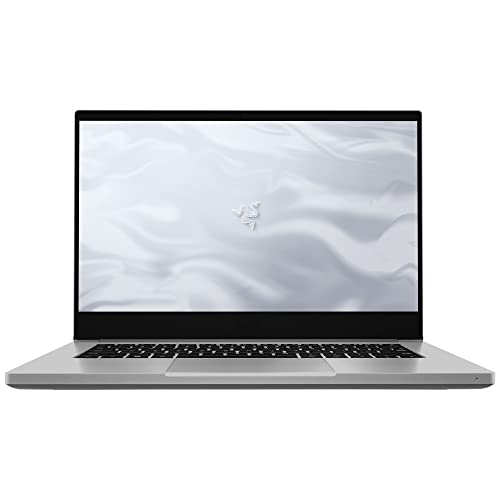
The Razer Blade 14 Ryzen 9 is a compact gaming laptop with a clear appeal: it puts an RTX 3070 Ti, Ryzen 9 6900HX, 16GB of memory and a 1TB SSD into a 14in chassis weighing 1.783kg. At GBP 1,057, that is a serious specification for a machine that is considerably easier to carry than the large gaming laptops with which it is being compared.
The important qualification is that this is not an unrestricted RTX 3070 Ti implementation. Its GPU power limit is 100W, and the benchmark data shows a machine that is very capable at 1920x1080 on High settings, but not one that can be assumed to drive every modern game at the screen’s 165Hz refresh rate. Notebookcheck’s measured figures range from 202fps in Strange Brigade to 82fps in X-Plane 11, with a mean of 133fps across the five-game scoring suite. That is strong gaming performance for a 14in laptop, but the spread is wide enough that buyers should focus on the games they actually play rather than treating that mean as a promise.
For competitive or lighter games, the Blade 14 has enough pace to make real use of a high-refresh display. Strange Brigade reaches 202fps, The Witcher 3 reaches 188fps, GTA V reaches 158fps and Dota 2 reaches 126fps. In those titles, especially the first two, the machine can deliver the kind of high frame rate that makes a 165Hz panel worthwhile. In more demanding games, the picture changes. Far Cry 5 runs at 116fps, Final Fantasy XV at 98fps, Cyberpunk 2077 1.6 at 86fps and X-Plane 11 at 82fps. Those are still playable results at the measured settings, but they are a long way from saturating the display’s refresh limit.
That distinction matters because the Blade 14’s native screen resolution is 2560x1440, while the available frame-rate data is measured at 1920x1080 with the High preset and upscaling disabled. The published figures are useful for judging the machine’s underlying gaming ability, but they do not demonstrate 165fps gaming at the panel’s native resolution. Anyone buying this laptop specifically for 2560x1440 gaming should be realistic: the 1080p figures show that some games have plenty of headroom, while others are already below 100fps before resolution is increased.
The Blade 14 makes the most sense for a buyer who values a compact gaming machine as much as headline performance. It is for someone who wants a 14in laptop that can play a broad range of games well, who is happy to make sensible settings choices in heavier titles, and who sees 1.783kg as a meaningful advantage over a large desktop-replacement design. It is less suitable for somebody whose main goal is maximum frame rate in demanding games, unrestricted GPU performance, or consistently pushing a 165Hz display at 2560x1440.
At GBP 1,057, the Razer is not cheap simply because it has a small screen. It needs to justify its price through the combination of portability, a 165Hz IPS display, 1TB of storage and RTX 3070 Ti performance. On the evidence available, it does that reasonably well, provided the buyer understands the compromise built into the 100W GPU limit. This is a premium compact gaming laptop with credible frame rates, not a miniature replacement for a much larger high-power gaming machine.
Performance
The benchmark picture is strong, but not uniform
Notebookcheck measured the Razer Blade 14 at 1920x1080 using the High preset with upscaling disabled. That is an important baseline. It means the results are not being inflated by a lower-quality preset or by an upscaling mode, and it gives a clean view of how the RTX 3070 Ti and Ryzen 9 6900HX work together in this configuration. It also means that the figures should be read as 1080p High results, rather than as proof of performance at the laptop’s native 2560x1440 resolution.
The five-game scoring-suite mean is 133fps. That is a useful indication of the Blade 14’s general capability, but it is not the most useful number for deciding whether the laptop suits a particular buyer. The individual results are more revealing:
- Strange Brigade: 202fps
- GTA V: 158fps
- Dota 2: 126fps
- Final Fantasy XV: 98fps
- X-Plane 11: 82fps
The range between Strange Brigade and X-Plane 11 is substantial. A buyer looking only at the 133fps mean could expect broadly high-refresh gaming across the board, but the title-by-title data does not support that conclusion. Some games are well beyond the screen’s 165Hz refresh rate, some are close to it, and some sit much nearer 60fps than 165fps. The Blade 14 is powerful, but its performance is dependent on the workload in a way that matters more than the average suggests.
Strange Brigade is the standout result at 202fps. At the measured 1920x1080 High settings, that is above the panel’s 165Hz refresh rate. It shows that the system can deliver genuinely high frame rates when the game is favourable to this hardware configuration. The Witcher 3 also reaches 188fps, again above 165Hz. These are the results that support the case for pairing an RTX 3070 Ti with a 165Hz display in a compact laptop: the hardware is not merely producing respectable frame rates, but can exceed the panel’s refresh ceiling in some games.
GTA V is close behind at 158fps. That is slightly below the display’s 165Hz refresh rate, but it is still high-refresh territory in practical terms. The distinction is worth making because a machine that produces 158fps is not failing to serve a 165Hz panel; rather, it is delivering a frame rate very close to that target in the specific measured configuration. It also illustrates why the screen is not excessive for this class of laptop. A lower-refresh display would leave some performance unused in the fastest games, while 165Hz gives the machine room to stretch.
Dota 2 reaches 126fps. That is a strong result and comfortably above the frame rates typically associated with basic laptop gaming, but it does not fill the 165Hz display at the stated settings. For players of Dota 2, the result still points to responsive, high-frame-rate play, but it should not be described as a measured 165fps experience. The distinction may sound technical, yet it is the difference between “high refresh is useful” and “the screen is fully saturated”. The benchmark data supports the former more consistently than the latter.
Far Cry 5 at 116fps sits in a similar category. It is a good result for a portable 14in gaming laptop, and it is far from a compromise that forces the game down to low frame rates. But it also shows that the Blade 14’s RTX 3070 Ti is not a universal answer to 165Hz gaming. The laptop can make use of the panel’s refresh range, yet the most demanding parts of that range are not guaranteed in every game.
Final Fantasy XV reaches 98fps. That remains close to 100fps at 1920x1080 High without upscaling, which is a credible result, but it is a different experience from the 202fps seen in Strange Brigade. The screen’s 165Hz capability remains an asset, but the benchmark does not indicate that the laptop will always operate near that maximum refresh rate. Buyers who play games with similar demands should prioritise stable, enjoyable performance over the expectation of reaching the panel’s headline refresh number.
Cyberpunk 2077 1.6 produces 86fps. This is one of the more useful results in the set because Cyberpunk 2077 is a demanding game and offers a more conservative view of what the Blade 14 can do when the workload becomes heavier. At the measured settings, 86fps is clearly playable and substantially better than a basic 60fps target. It is not, however, evidence that the laptop can drive demanding games at 165fps. The gap between 86fps and the panel’s refresh ceiling is large, and it becomes particularly relevant when considering the native 2560x1440 screen resolution.
X-Plane 11 is the lowest result at 82fps. That is still a respectable frame rate, especially for a game that can be demanding in ways not captured by purely GPU-focused expectations. It is also a reminder that a fast graphics chip does not make every game behave in the same way. The Ryzen 9 6900HX is a high-end processor, but the available benchmark data shows the complete system result rather than separating processor and graphics constraints. The safe conclusion is that X-Plane 11 is one of the workloads in this set where the Blade 14 delivers good gaming performance but does not approach 165fps.
What the 100W GPU power limit means
The RTX 3070 Ti name alone does not tell the full story. This Blade 14 has a 100W GPU power limit, and that specification matters because laptop GPUs are configured within power limits set by the manufacturer. A 100W RTX 3070 Ti should therefore be judged as the specific implementation it is, rather than assumed to perform like every RTX 3070 Ti in every laptop size.
The practical evidence is the benchmark spread. The Blade 14 can deliver 202fps in Strange Brigade and 188fps in The Witcher 3, so the 100W limit does not prevent high frame rates in games that suit the system. Equally, the results of 98fps in Final Fantasy XV, 86fps in Cyberpunk 2077 1.6 and 82fps in X-Plane 11 show why buyers should not equate the GPU model name with a blanket guarantee of maximum-refresh gaming in every title.
This is where the Blade 14’s compact form factor needs to be considered alongside its performance. The machine weighs 1.783kg and uses a 14in display. Its appeal is not that it ignores the compromises of a smaller laptop; it is that it delivers strong results despite being designed around a portable size. The 100W limit is part of that balance. The benchmark data suggests that Razer has not built a weak gaming laptop, but it has built a portable one whose performance ceiling is lower than that of a much larger high-power machine.
The comparison with the MSI Raider GE77 HX makes that point clearly. The Raider uses an RTX 3080 Ti at 175W and averages 36fps more than the Blade 14 across five shared games. The Raider’s advantage is meaningful and should not be dismissed as a technicality. If the buyer’s priority is maximum gaming speed, the higher-power machine has a substantial lead in the shared data.
But the Blade 14’s result should also be placed in context. The comparison is not between two laptops aimed at exactly the same use. The Razer is a 14in machine weighing 1.783kg, while the available facts do not provide a weight or dimensions for the Raider. It would be wrong to invent a portability comparison from missing specifications. What can be said is that the Blade’s 100W configuration produces lower shared-game performance than the 175W RTX 3080 Ti system, while the Razer’s stated 14in size and 1.783kg weight establish that it is built around a notably compact category of gaming laptop.
The 100W limit is therefore neither a reason to dismiss the Blade 14 nor a detail to ignore. It explains why the laptop can be excellent in lighter or well-suited games without matching the output of a much more aggressively powered rival in heavier shared workloads. Buyers should think of the Blade 14 as a high-performance portable system with a defined ceiling, not as a performance-at-any-cost design.
High-refresh gaming depends on the game
The Blade 14’s 165Hz panel is a strength, but the frame-rate data shows that buyers need to separate games into categories.
In Strange Brigade and The Witcher 3, the measured figures of 202fps and 188fps exceed 165Hz. Those games can make full use of the panel’s refresh rate at 1920x1080 High settings. GTA V at 158fps is very close. These are the situations where the display specification and the GPU performance line up particularly well.
Dota 2 at 126fps and Far Cry 5 at 116fps are still firmly in high-frame-rate territory. They do not reach the 165Hz ceiling in the supplied data, but the screen is not wasted. A 165Hz display is not useful only when a game reaches exactly 165fps; it can also provide headroom above lower refresh standards and accommodate performance that varies over time. What the measurements do not support is a claim that Dota 2 or Far Cry 5 run at the full panel refresh rate under the stated benchmark conditions.
Final Fantasy XV, Cyberpunk 2077 1.6 and X-Plane 11 show a more restrained side of the machine. At 98fps, 86fps and 82fps respectively, these are good outcomes but they place the laptop well below 165fps. For a buyer whose library is made up mainly of demanding games, the screen should be seen as a quality feature with overhead for less demanding titles rather than as a target that will always be reached.
The lesson is simple: the Blade 14 is capable of high-refresh gaming, but it is not a laptop that turns 165Hz into a universal measured result. The distinction becomes more important at 2560x1440, where no frame-rate figures have been supplied. It would be irresponsible to take 1080p results and state specific 1440p performance. The only defensible reading is that games already running below 165fps at 1920x1080 High are unlikely to provide evidence of full-refresh native-resolution gaming from these measurements alone.
The screen
A strong specification, with limits to what the data can prove
The Razer Blade 14 has a 14in IPS display with a 2560x1440 resolution and a 165Hz refresh rate. On paper, this is a properly premium gaming display specification. The resolution is higher than the 1920x1080 benchmark resolution, and the refresh rate is high enough to reward strong frame rates in games such as Strange Brigade and The Witcher 3.
The IPS panel type is relevant because it identifies the display technology, but the fact sheet does not provide brightness, contrast, colour coverage, response-time, adaptive-refresh or HDR measurements. There is no basis here for claiming exceptional image quality, unusual colour accuracy, fast pixel response or a particular level of outdoor usability. The honest assessment is narrower: it is a 14in IPS panel with 2560x1440 resolution and 165Hz refresh, which is a well-suited specification for a premium portable gaming laptop.
The resolution and refresh rate make sense together. A 2560x1440 panel offers more desktop space and a sharper native resolution than a 1920x1080 panel, while 165Hz gives the display the capacity for fast gaming when the GPU can supply sufficient frames. The issue is not whether the panel is ambitious; it is whether the supplied game data demonstrates that the RTX 3070 Ti at 100W can fully exploit it at native resolution.
It does not demonstrate that directly, because every measured frame rate was recorded at 1920x1080 High with upscaling off. That test configuration is useful because it removes uncertainty around upscaling, but it also means there are no published figures here for gaming at 2560x1440. The panel’s native resolution is therefore a feature buyers should value for general use and for games where they are prepared to adjust settings, but not something that should be sold as a proven 165fps native-resolution gaming experience.
Can the GPU drive the display?
At 1920x1080 High, the answer is game-dependent. Strange Brigade at 202fps and The Witcher 3 at 188fps show that the Blade 14 can exceed 165Hz. GTA V at 158fps is near enough to the refresh limit to make the display a sensible fit. In those games, the 165Hz panel is not an aspirational specification; it has meaningful performance behind it.
For Dota 2 at 126fps and Far Cry 5 at 116fps, the display still makes sense, but the GPU does not reach the refresh maximum in the measured configuration. The same is more clearly true of Final Fantasy XV at 98fps, Cyberpunk 2077 1.6 at 86fps and X-Plane 11 at 82fps. These results do not make the 165Hz screen excessive. They simply mean that the screen has more headroom than the system can use in every game.
The native 2560x1440 resolution adds another layer of caution. Higher resolution asks more of the graphics hardware, and the fact sheet contains no measured 2560x1440 figures. A buyer should not assume that 202fps in Strange Brigade at 1920x1080 becomes 202fps at the panel’s native resolution, nor that 86fps in Cyberpunk 2077 1.6 remains unchanged. No exact statement about the difference is possible from the available data.
For buyers who prefer sharp native-resolution presentation and are comfortable treating frame rate as variable by game, the display is a strong match for the rest of the laptop. For buyers who want a machine validated specifically for 2560x1440 High gaming at 165Hz, the fact sheet does not provide enough evidence. The Blade 14’s panel is more capable than the benchmark resolution, but the published data should not be stretched beyond what it actually measures.
The 14in format changes the display trade-off
A 14in screen makes the Blade 14 more compact than the 16in Lenovo Legion 5 Pro 16ACH6H and the 17in Gigabyte Aero 17 HDR YC identified in the comparison list. That does not automatically make it better. A larger panel can be preferable for buyers who prioritise screen area, and the fact sheet does not provide display quality measurements for the rivals. But the Razer’s smaller display is central to its purpose: this is a laptop built around portability rather than around the largest possible screen.
The 2560x1440 resolution is therefore useful beyond gaming. It gives the 14in Blade a higher-resolution display specification than the benchmark resolution, while the 165Hz refresh rate preserves its gaming identity. The compromise is that a smaller screen may not suit someone who wants a large visual workspace without an external display. There is no need to pretend that a 14in panel serves the same buyer as a 17in one. It serves a buyer who wants the laptop itself to remain compact.
Build, size and portability
The portability argument is real
The Razer Blade 14 weighs 1.783kg. That is one of the most significant facts in its favour, because the machine combines that weight with an RTX 3070 Ti, Ryzen 9 6900HX, 16GB of memory, 1TB SSD storage and a 14in 165Hz IPS display. This is not a low-power ultraportable with a gaming label attached; it is a gaming laptop specification in a compact format.
Weight matters differently depending on how the laptop will be used. For a machine that will remain on a desk beside a mains socket, performance, screen size and cooling capacity may matter more than portability. For someone moving between home, work, study, travel or different rooms, 1.783kg is an important practical advantage. The Blade 14 is designed for the latter buyer: someone who does not want gaming performance to require a permanently large machine.
The available information does not include chassis dimensions, thickness, material, port selection, keyboard layout, touchpad quality, webcam quality, speaker performance or cooling noise. It would be wrong to fill those gaps with assumptions based on the Razer name or the Blade family. There is also no published temperature or noise figure in the fact sheet, so no claim can be made about how warm or loud the laptop is under load.
That absence matters because compact gaming laptops involve trade-offs that cannot be assessed from weight and GPU power alone. The 100W GPU limit tells us something about the system’s performance positioning, but it does not tell us how the chassis feels, how it manages sustained load, or how much fan noise is involved. Buyers for whom acoustic behaviour or sustained thermals are decisive should seek attributable measurements before committing.
Battery capacity is known; battery life is not
The Blade 14 has a 62Wh battery. That gives a clear capacity figure, but no measured battery-life result is included in the fact sheet. There is therefore no basis for claiming a particular number of hours of gaming, browsing, video playback or office work.
This is especially important for a gaming laptop. Battery capacity alone does not determine runtime, and gaming performance away from mains power is not established by the supplied information. The 62Wh figure should be treated as a specification, not as a battery-life verdict. Buyers who need long untethered use should not make a purchase decision based on capacity alone.
The portable focus of the Blade 14 is still obvious from the 14in display and 1.783kg weight. But portability is not the same thing as proven endurance. It is reasonable to say that the laptop is relatively easy to carry by gaming-laptop standards; it is not reasonable to state how long it will last away from a charger when the fact sheet does not provide that measurement.
Memory and storage are adequate, but not the review’s main story
The specification includes 16GB of memory and a 1TB SSD. Those are sensible supporting specifications for a gaming laptop at GBP 1,057. The 1TB SSD gives the buyer a substantial amount of listed storage capacity, while 16GB of memory is enough to avoid this looking like a system built around a flagship processor and graphics chip but compromised by an obviously minimal memory allocation.
However, the fact sheet does not identify memory speed, storage performance, upgrade options or component access. It also does not say whether the memory is configured in a particular way, whether the SSD has spare capacity, or whether additional storage can be installed. Those questions may matter to buyers with large game libraries or demanding productivity workloads, but they cannot be answered from the supplied specifications.
The right conclusion is that the listed 16GB and 1TB configuration is balanced enough for the laptop’s intended role, but there is no evidence here to make stronger claims about expandability or storage speed. The purchase case remains centred on the blend of RTX 3070 Ti performance, a 14in 165Hz display and 1.783kg portability.
How it compares
Against the MSI Prestige 15
Against the MSI Prestige 15 with an RTX 3050 Ti at 105W, the Blade 14 averages 62fps more across four shared games. That is the largest positive advantage in the supplied comparison set, and it is substantial. The Razer’s RTX 3070 Ti configuration is clearly operating in a higher performance class in the shared benchmark data.
The comparison is useful because the Prestige’s GPU power limit is 105W, close to the Blade 14’s 100W figure. That does not make the systems identical, and the fact sheet does not provide enough information to isolate every reason for the gap. But it does show that power limit alone is not a useful shortcut to expected performance. The GPU model and the complete laptop configuration matter, and the Razer is decisively faster in the shared games.
No confirmed UK price is provided for the MSI Prestige 15, so it cannot be used to make a responsible price-to-performance judgement against the Blade’s GBP 1,057 price. The performance conclusion is clear; the value conclusion is not. If a buyer is choosing only on gaming speed, the Blade 14 has a strong case over this rival. If price is central, the missing confirmed UK price prevents a proper comparison.
Against the Lenovo Legion 5 Pro
The Lenovo Legion 5 Pro 16ACH6H uses an RTX 3070, yet the Blade 14 averages the same frame rate across five shared games. That near-zero difference is one of the most interesting results in the comparison list. It demonstrates why GPU names alone can mislead: an RTX 3070 Ti at 100W does not automatically produce a clear benchmark lead over every RTX 3070 laptop, but neither does the smaller Razer automatically fall behind.
The shared-game result should be read as a genuine tie rather than as evidence that the graphics configurations are interchangeable in every situation. The comparison guidance notes that lighter titles in the shared set can be CPU-bound at 1920x1080, compressing genuine GPU differences. That is exactly the sort of context needed here. At 1080p, a game may be limited by factors other than raw GPU capability, and the result can converge even when the laptop specifications differ.
For a buyer, the practical conclusion is that the Blade 14 does not give up measured shared-game performance to this Lenovo despite being a 14in, 1.783kg system. That is a strong result for the Razer’s portable design. On the other hand, it would be wrong to claim a decisive performance win where the benchmark data shows none.
The Lenovo has a 16in display in its name, while the Razer has a 14in screen. That makes the two machines appropriate for different buyers even before performance is considered. Someone who wants more screen area may prefer the Lenovo category. Someone who places more value on the Razer’s stated 1.783kg weight and 14in format has a compelling reason to consider the Blade. No confirmed UK price is supplied for the Lenovo, so a direct value judgement cannot be made.
Against the Gigabyte Aero 17 HDR YC
The Gigabyte Aero 17 HDR YC uses an RTX 3080, but the Blade 14 averages the same frame rate across three shared games. As with the Lenovo comparison, that near-zero result should not be treated as a typo or ignored because the GPU labels suggest a larger gap. The supplied comparison guidance explicitly notes that 1920x1080 shared sets can compress real GPU differences when lighter titles are CPU-bound.
This does not prove that the RTX 3070 Ti at 100W is universally equal to an RTX 3080. It proves something more limited and more useful: in the three shared games available for this comparison, the measured average is effectively the same. Buyers should respect that result without exaggerating it beyond the shared data.
The Aero’s 17in designation also signals a different category of machine from the Blade 14. A 17in laptop prioritises a larger integrated display, while the Blade’s strengths are its 14in format and 1.783kg weight. The fact sheet does not provide the Gigabyte’s weight, dimensions, screen measurements or confirmed UK price, so no fuller portability or value comparison should be invented. The available evidence supports only the shared-game performance tie and the obvious difference in named screen size.
Against the MSI Raider GE77 HX
The MSI Raider GE77 HX is the rival that most clearly outpaces the Blade 14. Its RTX 3080 Ti has a 175W GPU power limit, and it averages 36fps more than the Blade across five shared games. This is the comparison that defines the Razer’s limitation most clearly: buyers who want the strongest available gaming output should choose the high-power performance category rather than expect a 100W compact laptop to match it.
A 36fps shared-game deficit is too large to explain away as meaningless benchmark variation. The Razer remains capable, but the Raider has a real performance advantage in the supplied data. For demanding games, especially those where the Blade 14’s measured results sit around the 82fps to 98fps range, extra performance can matter far more than it does in games already reaching 188fps or 202fps.
The trade-off is that the Raider’s advantage comes from a very different GPU power limit. The Blade’s 100W RTX 3070 Ti is not designed around the same performance target as a 175W RTX 3080 Ti. The Razer should therefore not be bought by someone who already knows they want the fastest frame rates possible in heavy games. Its appeal is in delivering strong gaming performance in a 14in, 1.783kg package, not in winning every specification fight against a much more powerful rival.
Again, no confirmed UK price is supplied for the Raider. That prevents a direct claim about whether its additional shared-game performance is worth any potential price difference. The right comparison is qualitative: the Raider is the choice for greater measured gaming speed; the Blade 14 is the choice for a compact design with strong but clearly lower performance headroom.
Who it’s for
Buy the Blade 14 if portability is part of the requirement
The Razer Blade 14 is for buyers who want a gaming laptop that is not defined solely by desk use. Its 1.783kg weight and 14in display make it a sensible candidate for someone who regularly carries their machine, while the Ryzen 9 6900HX and RTX 3070 Ti provide far more gaming capability than a basic portable laptop.
It is a particularly good fit for players whose games include titles such as Strange Brigade, The Witcher 3 and GTA V, where the measured figures of 202fps, 188fps and 158fps respectively show that the 165Hz display can be used properly at 1920x1080 High settings. Players of Dota 2 and Far Cry 5 also have a good case: 126fps and 116fps are strong results, even if they do not fully reach 165Hz.
It also suits the buyer who understands settings management. The machine is not presented by the data as a laptop that must always run every game at the same settings and frame-rate target. Instead, it is a system that offers high performance in many titles and sensible results in demanding ones. Someone comfortable choosing the appropriate balance of resolution, quality settings and frame rate will get more from it than someone who expects every game to behave like the fastest benchmark in the set.
The GBP 1,057 price also makes sense for a buyer who wants the complete package rather than only the largest possible GPU power limit. The laptop includes a 14in 2560x1440 165Hz IPS display, 16GB of memory and a 1TB SSD alongside the RTX 3070 Ti. That is not an entry-level portable configuration. The buyer is paying for a compact gaming system with a premium display specification and a substantial listed core specification.
Buy something else if maximum frame rate is the priority
The Blade 14 is not the right choice for a buyer whose first requirement is the highest possible measured performance in demanding games. The MSI Raider GE77 HX averages 36fps more across five shared games, and its RTX 3080 Ti operates at 175W rather than 100W. The data supports a plain conclusion: a higher-power rival has a meaningful gaming advantage.
It is also not the obvious choice for someone who wants a larger built-in display. The Razer’s 14in panel is a strength for portability, but it is not a substitute for a 16in or 17in screen if screen size is the priority. The Lenovo Legion 5 Pro is identified as a 16in rival and the Gigabyte Aero as a 17in rival. The Blade’s compact format is intentional, but not universally preferable.
Buyers who specifically want confirmed native-resolution benchmark results should also be cautious. The Blade 14’s screen is 2560x1440, but the available performance figures are all from 1920x1080 High testing with upscaling off. There is no attributable frame-rate data here for 2560x1440 gaming, so nobody should buy it on the basis of invented native-resolution performance claims.
Finally, buyers who need verified battery life, fan-noise data, thermal measurements, port information or upgrade details should wait for attributable information on those areas. The fact sheet supplies a 62Wh battery capacity but no battery-life measurement. It supplies a 1.783kg weight but no chassis dimensions. It identifies the IPS panel but provides no brightness, colour or response measurements. Those omissions do not make the Blade 14 a poor laptop; they simply define the limits of a responsible purchase recommendation.
The verdict
The Razer Blade 14 Ryzen 9 is a compelling compact gaming laptop at GBP 1,057 because it combines 1.783kg portability with genuinely strong 1080p High gaming results. Notebookcheck’s figures show excellent performance in Strange Brigade, The Witcher 3 and GTA V, strong high-frame-rate results in Dota 2 and Far Cry 5, and still credible outcomes in Final Fantasy XV, Cyberpunk 2077 1.6 and X-Plane 11.
The key is to buy it for what it is. This is a 14in RTX 3070 Ti laptop with a 100W GPU limit, not a large high-power machine pretending to be portable. It can exceed the 165Hz refresh rate in some measured games, comes close in GTA V, and falls well below that level in more demanding titles. Its 2560x1440 IPS display is a strong specification, but the supplied frame-rate data does not verify native-resolution gaming performance.
For the buyer who wants serious gaming capability in a laptop that weighs 1.783kg, the Blade 14 has a persuasive case. For the buyer who wants the most frames possible, the MSI Raider GE77 HX provides the stronger shared-game result. For the buyer who needs a larger screen, the 16in and 17in alternatives are more appropriate categories. The Razer’s value lies in its balance: strong measured performance, a high-refresh 2560x1440 display, useful 1TB storage, 16GB of memory and a genuinely portable 14in format.