Details
Product prices and availability are accurate as of the date/time indicated and are subject to change. Any price and availability information displayed on Amazon.co.uk at the time of purchase will apply to the purchase of this product.Review
Asus TUF Gaming 16 review
Frame rates
1920×1080, High preset, upscaling off.
Measured on this machine. Source: Notebookcheck, 2026-11-09.
Not scored: incomplete benchmark suite
Every scored laptop on this site is averaged over the same 5 games, and this one is short of GTA V. A mean over 4 games is not comparable to a mean over 5, so we publish the figures we have and leave the score blank rather than rank it against machines tested on a different set. The numbers below are real - the suite is just incomplete.
How these numbers were produced
Frame rates here are not measured by us, and we label how each one was arrived at. A figure marked measured comes from a published run on that exact machine. A figure marked representative is derived from the GPU and its power limit (TGP) and cross-referenced against published reviews - a sound estimate of what that configuration delivers, but not a measurement of that specific laptop. Unless stated otherwise, numbers are 1920x1080, High preset, upscaling off. Where a laptop ships in several power configurations we use the wattage of the exact SKU listed, because a 140W RTX 5070 and a 115W one are not the same product.
In use
The short version
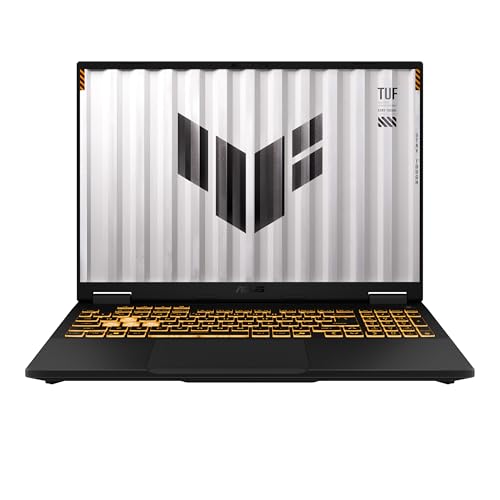
The Asus TUF Gaming 16 is a sensible enough mid-range gaming laptop on paper: an RTX 5050 with 8GB of VRAM, a Core i5-14450HX, 16GB of memory, a 512GB SSD and a 16in 1920x1200 144Hz display. The problem is that the UK price is £1,325, which asks buyers to accept a fairly ordinary level of modern game performance without providing the sort of clear performance lead that would make that price easy to defend.
Notebookcheck’s measured figures show a laptop that is very capable in lighter and older games, respectable in several demanding current titles, and increasingly compromised in the heaviest releases. Dota 2 reaches 159fps at 1920x1080 on High with upscaling disabled, while X-Plane 11 reaches 90fps. Cyberpunk 2077 records 77fps and Baldur’s Gate 3 records 74fps. Those are useful results for a machine with a 144Hz screen, even if they do not mean every game will run near the panel’s refresh limit.
The more difficult games tell the more important story. Resident Evil Requiem reaches 72fps, Assassin’s Creed Black Flag Resynced and Death Stranding 2 both reach 50fps, 007 First Light reaches 48fps, Crimson Desert reaches 46fps and Control Resonant reaches 35fps. That is a wide range, and it matters more than the mean of 100fps across the available scoring-suite games. A mean can make a laptop look quicker than it feels in the games that put real pressure on the graphics hardware. Here, Dota 2’s 159fps result lifts the average substantially, while the demanding releases sit far below the screen’s 144Hz ceiling.
That does not make the TUF Gaming 16 a bad gaming laptop. It means it needs to be bought with realistic expectations. It is well suited to someone whose regular games include Dota 2, X-Plane 11, Baldur’s Gate 3 and similar titles where a good High-preset experience matters more than maintaining the display’s maximum refresh rate at all times. It is less convincing for someone buying specifically for the latest demanding single-player games at high settings with no upscaling. In those games, the benchmark data shows that the machine is often delivering a conventional smooth-play target rather than the high-refresh experience suggested by the 144Hz panel.
The other issue is positioning. MSI’s Cyborg 15 also uses an RTX 5050 and is listed at £1,029, while this Asus is listed at £1,325. Across the shared games, the Asus averages 30fps ahead. That is a real and useful performance advantage, not a trivial margin. But the price gap is also substantial, so the value judgement depends heavily on whether those extra frames arrive in the games a buyer actually plays. Against the Lenovo LOQ with an RTX 5060 at 115W, the Asus is level across the shared games. Against the Schenker XMG Core 16 VE M25 with an RTX 5060, it is only 2fps behind. Those comparisons are more troubling for the Asus because they suggest that, in the available shared-game data, an RTX 5050 machine at £1,325 is not establishing a decisive lead over laptops carrying the higher-tier RTX 5060.
There is no overall ranking for this TUF Gaming 16 because the scoring suite is incomplete: there is no GTA V figure. Every scored laptop is averaged over the same five games, so it would be misleading to place this Asus in a full ranking from a partial set. The available benchmarks are still enough to make the central point. This is a competent machine, with particularly good results in lighter games, but it is difficult to call it strong value at £1,325 when the 144Hz display is not consistently fed in modern demanding games and the available RTX 5060 comparisons are so close.
Performance
The benchmark picture is uneven, and that is the key result
Notebookcheck measured the Asus TUF Gaming 16 at 1920x1080, using the High preset with upscaling disabled. That matters because these are relatively straightforward raster-performance figures. They are not numbers boosted by an upscaling mode, and they are not measurements at the laptop’s native 1920x1200 panel resolution. The latter distinction is important: 1920x1200 contains more pixels than 1920x1080, so these figures should be treated as the cleanest available indication of performance rather than as a guarantee of exactly the same frame rate on the built-in display.
At the favourable end of the results, Dota 2 reaches 159fps. That exceeds the screen’s 144Hz refresh rate and gives the Asus a convincing high-refresh result in a game where fast, consistent response can matter. If Dota 2 is a central reason for buying a gaming laptop, the TUF has the performance headroom to make the 144Hz panel meaningful under the measured settings. It is also the clearest example of why the machine’s 100fps mean across the available scoring-suite games should not be dismissed outright: this laptop can produce very high frame rates in games that are less punishing to the graphics hardware.
X-Plane 11 reaches 90fps, which is another good outcome. It does not fill a 144Hz panel in the way Dota 2 does, but it is well above the results posted by the most demanding games in this set. The gap between Dota 2 and X-Plane 11 is already instructive. Even before moving to the visually intensive modern releases, the laptop’s frame rate varies substantially according to the game’s engine and workload. A buyer should not take the 159fps Dota 2 result as a general statement that this is a 144fps gaming machine. It is a 144Hz-capable machine in the right games.
Cyberpunk 2077 records 77fps and Baldur’s Gate 3 records 74fps. These are among the most useful figures in the sheet because they sit in the middle ground where many buyers will spend their time: demanding games that are not necessarily the newest or most extreme technical showcase. At the stated 1920x1080 High settings with upscaling off, the Asus can produce a genuinely comfortable result in both. Neither result approaches the display’s 144Hz maximum, but both are substantially closer to a smooth high-refresh experience than the 50fps and 35fps outcomes seen elsewhere.
Cyberpunk 2077 at 77fps is especially helpful context for prospective buyers. It shows that the RTX 5050 is not limited to esports titles or older games. With the tested preset and no upscaling, the laptop has enough graphics performance to run a demanding game at a frame rate that should feel fluid to many players. But it also shows the limits of the configuration. A 144Hz panel is capable of showing much more motion than 77fps, and this result leaves a considerable gap between what the display can refresh and what the GPU can render under this workload.
Baldur’s Gate 3 at 74fps tells a similar story. It is a good result for a High-preset test without upscaling, and it supports the view that the Asus is a credible choice for major PC releases rather than merely competitive multiplayer games. Yet it remains much closer to Resident Evil Requiem’s 72fps than to Dota 2’s 159fps. The TUF Gaming 16 is therefore best understood as a laptop with strong mid-range performance that can be fast in lighter titles, rather than as a machine that delivers one consistent performance class across every genre.
Resident Evil Requiem records 72fps. This is a useful dividing line in the results. It is exactly half of the screen’s 144Hz refresh rate, which underlines the difference between having a 144Hz display and actually driving it at high frame rates. A result of 72fps can still be a satisfying outcome, particularly with High settings and no upscaling, but it is not evidence that the Asus can turn every contemporary game into a high-refresh experience. Buyers who regard the 144Hz specification as a minimum standard rather than an aspirational ceiling should pay close attention to results like this one.
The next group is more demanding. Assassin’s Creed Black Flag Resynced reaches 50fps, as does Death Stranding 2. 007 First Light reaches 48fps and Crimson Desert reaches 46fps. These are not isolated outliers; they form a cluster. The cluster indicates that when the game engine, graphics settings and workload become sufficiently demanding, the TUF Gaming 16’s RTX 5050 is no longer providing the kind of frame rate that makes a 144Hz screen the central attraction. Instead, the screen becomes a useful quality-of-life feature for lighter games and everyday desktop use, while the heaviest games are limited by GPU throughput.
Control Resonant is the lowest measured result at 35fps. One low result does not define an entire laptop, and it would be wrong to treat it as the only number that matters. But it is still a meaningful warning. Someone who buys at £1,325 expecting High settings and upscaling disabled to deliver consistently strong performance in every major new release is likely to be disappointed. The benchmark data says that some current games will require a different approach: lower settings, use of an upscaling mode where available, a lower target frame rate, or acceptance that this level of hardware is not aimed at uncompromising performance in the most demanding titles.
It is important not to invent results for those alternative settings. There are no published figures here for lower presets, for upscaling modes, for ray tracing, or for the laptop’s native 1920x1200 resolution. The responsible conclusion is not that the machine cannot be improved through settings changes. It is that the available data shows a clear limit at 1920x1080 High with upscaling disabled, particularly in Control Resonant, Crimson Desert, 007 First Light, Death Stranding 2 and Assassin’s Creed Black Flag Resynced.
What the 100fps mean does and does not say
The mean across the four available scoring-suite games is 100fps. On its own, that looks healthy. It is certainly not a weak average for a laptop using an RTX 5050. But averages need interpretation, especially when the game list contains both a 159fps Dota 2 result and much lower figures in graphically demanding releases outside the scoring suite.
The four scoring-suite measurements are Dota 2 at 159fps, X-Plane 11 at 90fps, Cyberpunk 2077 at 77fps and Baldur’s Gate 3 at 74fps. That is a favourable collection for this Asus because the lowest figure is still 74fps. It shows that in those four games the machine has a dependable baseline. It also explains why the average lands at 100fps: Dota 2 is substantially above the others and raises the combined figure.
The broader game list provides the necessary correction. Once Resident Evil Requiem, Assassin’s Creed Black Flag Resynced, Death Stranding 2, 007 First Light, Crimson Desert and Control Resonant are included, the performance profile looks much less uniformly strong. The TUF Gaming 16 can be a 159fps machine in Dota 2 and a 35fps machine in Control Resonant under the same overall test conditions. That is not a contradiction. It is the normal effect of games placing very different demands on the CPU, GPU, memory subsystem and graphics features. What matters for a buyer is recognising that the laptop’s performance is title-dependent to an unusually visible degree.
For shopping purposes, the 100fps figure should be read as evidence that the Asus has plenty of performance for part of the gaming market, not as a promise that a buyer will see around 100fps in whatever comes next. The individual game numbers are more valuable than the mean. Anyone whose library resembles the scoring-suite selection can view the result positively. Anyone planning around the demanding releases in the extended list should treat the mean as a poor guide to their likely experience.
The GPU power limit is not confirmed in the available information
A laptop GPU name alone does not tell the whole performance story. Power limits can materially affect how much performance a mobile GPU delivers, which is why comparisons between similarly named graphics chips can be misleading if they ignore laptop configuration. That issue is especially relevant here because the comparison list includes an RTX 5060 in the Lenovo LOQ explicitly identified as running at 115W.
For this Asus TUF Gaming 16, the fact sheet does not provide a confirmed GPU power limit. There is therefore no basis for claiming that the RTX 5050 is running at a particular wattage, no basis for describing it as a low-power or high-power implementation, and no basis for attributing the benchmark results to a specific power target. The measured frame rates are real and useful; the precise explanation for how Asus has configured the GPU is not supplied here.
That missing detail matters because buyers may be tempted to make a simple RTX 5050-versus-RTX 5060 judgement. The available shared-game comparisons show that the TUF can match the Lenovo LOQ’s RTX 5060 at 115W and trail the Schenker XMG Core 16 VE M25’s RTX 5060 by only 2fps. Those outcomes are evidence that the graphics label does not settle the question on its own. They do not prove a particular Asus power limit, nor do they prove that every RTX 5050 will perform this way. They simply show that, in the available shared set, this particular TUF Gaming 16 is competitive with those specific RTX 5060 laptops.
The practical lesson is to buy on attributable game data rather than branding hierarchy. The TUF Gaming 16 has published numbers for a useful range of games. Those numbers show it can be strong in Dota 2, solid in X-Plane 11, Cyberpunk 2077 and Baldur’s Gate 3, and much less comfortable in Control Resonant. That is more valuable than assuming that an RTX 5050 must always sit a certain distance behind an RTX 5060.
CPU, memory and storage: sufficient specifications, but limited published evidence
The Core i5-14450HX is paired with 16GB of memory and a 512GB SSD. This is a conventional gaming-laptop combination, and the benchmark results do not suggest an obvious inability to run the tested games. Dota 2’s 159fps and X-Plane 11’s 90fps show that the platform can support high or relatively high frame rates in selected workloads, while Cyberpunk 2077 and Baldur’s Gate 3 show that it can support demanding modern games at the measured settings.
However, the fact sheet does not include component-level tests, memory configuration details, storage speed measurements or upgrade information. It would be speculation to say whether the 16GB memory allocation is arranged in a particular way, whether the SSD is unusually fast or slow, or whether the machine is easy to upgrade. The safe conclusion is narrower: 16GB and 512GB are the supplied capacities, and the published gaming data shows a workable gaming system rather than a platform with a clearly identified bottleneck.
Storage capacity deserves a practical mention without overstating the point. A 512GB SSD is enough to get started, but it is not an especially generous capacity for a buyer whose library includes large current games. The machine’s measured list includes substantial modern releases such as Cyberpunk 2077, Death Stranding 2, 007 First Light and Crimson Desert. Whether 512GB is enough will depend on how many games, applications and files a buyer keeps installed at once. There is no supplied figure for available formatted capacity, no expansion information and no storage benchmark, so the specification itself is all that can be stated confidently.
The screen
A 16in 1920x1200 144Hz display is attractive, but the GPU will not always exploit it
The TUF Gaming 16 has a 16in screen with a 1920x1200 resolution and a 144Hz refresh rate. This is a good specification for a gaming laptop in principle. The taller 1920x1200 format gives more vertical space than 1920x1080, which can be useful outside games as well as in titles that support the format properly. The 144Hz refresh rate gives the display enough headroom for fast-moving games when the hardware can deliver the frames.
The key qualification is that Notebookcheck’s frame-rate figures are measured at 1920x1080 rather than 1920x1200. That is not a reason to disregard them. It is simply a reason not to treat them as native-panel measurements. The screen has more pixels than the benchmark resolution, and the fact sheet does not provide game-by-game figures at 1920x1200. Buyers who intend to use the laptop at its native resolution should therefore see the published data as a useful reference point, not an exact prediction.
In Dota 2, the measured 159fps result at 1920x1080 is enough to exceed the 144Hz refresh rate. This is the best case for the panel. A game that can run above the refresh limit is able to take proper advantage of the screen’s high-refresh capability, and Dota 2 is the clearest example in the available results.
X-Plane 11 at 90fps is a more moderate fit. It is below the panel’s refresh rate but still demonstrates why a 144Hz display is not wasted merely because every title does not reach its maximum. A higher-refresh screen can still offer a better ceiling for the games that do run quickly, and it avoids making the display itself the limiting factor in lighter titles. The same applies to Cyberpunk 2077 at 77fps and Baldur’s Gate 3 at 74fps. Those games do not approach 144fps in the measured test, but the panel is not holding them back.
Resident Evil Requiem at 72fps sits at half the display’s 144Hz refresh rate. That makes it a useful example of how the screen and GPU meet in the middle. The display has the capability for much more, while the graphics hardware provides a result that should be workable but not high-refresh in the fullest sense. The outcome is not inherently poor; it is simply not the reason to choose a 144Hz panel over a slower one.
The 50fps results in Assassin’s Creed Black Flag Resynced and Death Stranding 2, the 48fps result in 007 First Light, the 46fps result in Crimson Desert and the 35fps result in Control Resonant make the point more sharply. These are games where the display’s refresh potential is largely unused under the measured settings. The limitation is the performance available from the laptop, not the refresh rate specified for the panel.
This does not mean the 144Hz screen is pointless. It means buyers should value it for the games where it can be used, rather than assume it guarantees high-refresh gaming across the board. Competitive titles, less demanding games and older games are likely to be the natural home for this panel. Modern heavyweight single-player games are more likely to require settings decisions if a buyer wants to move closer to the display’s upper range. The available benchmark data does not tell us which changes would be most effective for each title, so no specific settings recommendation should be treated as measured fact.
Panel type and image quality are not confirmed
The fact sheet identifies the size, resolution and refresh rate, but it does not identify the panel type. It also does not provide measured brightness, contrast, colour coverage, response time, HDR performance, adaptive-sync support or outdoor visibility. None of those characteristics should be assumed from the 144Hz label alone.
That is worth stressing because buyers often use a gaming laptop’s display for more than games. A 16in 1920x1200 screen may be appealing for work, browsing, media and creative tasks, but the supplied information does not establish how good this particular panel is for colour-sensitive work or bright environments. The screen specification is promising in terms of size, shape and refresh rate. Its broader image quality remains unverified in the available data.
Build, size and portability
The 2.15kg weight points to a transportable gaming laptop, not an ultralight one
The Asus TUF Gaming 16 weighs 2.15kg. That puts it in the category of a laptop that can be carried when needed but is likely to be used mainly as a substantial portable computer rather than as something a buyer forgets is in their bag. The 16in screen, HX-series processor and dedicated RTX 5050 graphics all point in the same direction: this is intended to balance desk use, gaming use and occasional travel rather than chase minimum weight.
For a buyer moving between home, university, office accommodation or a regular workplace, 2.15kg is manageable if gaming performance is the priority. It is less attractive for someone who carries a laptop all day and values low bag weight above everything else. The distinction matters because a buyer paying £1,325 is choosing not only a performance level but also a form factor. The TUF is not presented by the supplied specifications as a compact travel-first machine; it is a 16in gaming laptop with the associated mass.
No dimensions are provided in the fact sheet. It would therefore be wrong to state its thickness, footprint or how easily it fits into a particular bag. Likewise, there is no information on the charger’s size or weight. Those omissions matter in practice, because a gaming laptop’s travel burden is the combined burden of the laptop and power supply, not merely the chassis weight. All that can be said from the available information is that the laptop itself weighs 2.15kg.
The 63Wh battery is a capacity figure, not a battery-life promise
The battery is rated at 63Wh. That tells us the energy capacity supplied, but it does not tell us how long the laptop lasts in web browsing, video playback, office work, light use or gaming. There are no published battery-life measurements in the fact sheet, and it would be irresponsible to turn a 63Wh specification into a claimed runtime.
Gaming laptops also vary greatly in power use depending on display settings, CPU workload, GPU workload, background tasks and power profile. The 63Wh figure should therefore be read as a specification to compare with other machines, not as a prediction of a working day away from mains power. Buyers who need reliable unplugged endurance should seek attributable battery measurements before deciding. The available information supports no stronger conclusion.
Build quality, keyboard, ports and acoustics are not established here
The TUF Gaming name may lead buyers to expect a particular build style, but branding is not evidence of chassis rigidity, keyboard quality, trackpad quality, port selection or cooling behaviour. The fact sheet does not include measurements or specifications for these areas. There are no temperature figures, no fan-noise figures, no keyboard details, no webcam information and no port list supplied.
That is a meaningful gap rather than a minor technicality. A laptop at £1,325 should not be judged only on frame rates. Keyboard comfort, noise under load, display quality, charger design, connectivity and build quality all affect ownership. This review can establish what the published gaming benchmarks say and can describe the supplied weight and battery capacity. It cannot honestly claim that the Asus is quiet, cool, rugged, comfortable or well connected without the data to support that claim.
How it compares
Against the MSI Cyborg 15: a clear performance win, but at a much higher price
The MSI Cyborg 15 is the most obvious budget-side comparison because it also uses an RTX 5050 and has a confirmed UK price of £1,029. The Asus TUF Gaming 16 is listed at £1,325. Across the four shared games, the Asus averages 30fps ahead of the MSI.
A 30fps shared-game advantage is substantial. It is not the kind of small variation that should be dismissed as noise or explained away by a single lightweight title. It indicates that the Asus is meaningfully quicker than the Cyborg 15 in the available comparison set. For a buyer who values frame rate first, the TUF’s performance lead is real and should be taken seriously.
However, performance advantage and value advantage are not the same thing. The Asus costs more, and the supplied information does not include the MSI’s weight, screen, battery capacity, GPU power configuration or other hardware details that might explain the price difference. Buyers should therefore avoid assuming that the £1,325 Asus is automatically the better purchase simply because it is faster. It is the better choice for someone who can justify paying more for the measured gaming lead. It is less obvious for someone with a strict budget who is willing to accept lower performance from the same GPU class.
The comparison also reinforces why GPU names need context. Both machines use an RTX 5050, yet the Asus is 30fps ahead across the shared games. Laptop graphics performance is influenced by the whole implementation, not just the name printed on the specification list. The data does not tell us exactly which design decisions create the difference, but it clearly shows that the TUF Gaming 16 should not be treated as interchangeable with the Cyborg 15.
Against the Lenovo LOQ: the RTX 5060 label does not produce a lead here
The Lenovo LOQ has an RTX 5060 at 115W, although no confirmed UK price is supplied. Across the four shared games, the Asus TUF Gaming 16 averages exactly the same frame rate as the Lenovo. This is one of the most interesting results in the comparison set.
It would be easy to see RTX 5060 on the Lenovo specification and assume that it must be comfortably faster than the Asus’s RTX 5050. The available shared-game figures do not support that conclusion. In those four games, the measured average is level. That does not mean the GPUs are identical, and it does not establish that the Asus will tie the Lenovo in every game or at every setting. It means the benchmark data available here gives neither machine a shared-game advantage.
The near-zero difference should not be repeated as though it were a meaningless coincidence. At 1920x1080, lighter titles in the shared set can become CPU-bound, compressing genuine GPU differences. Dota 2 is the obvious candidate for that kind of effect: its 159fps result on the Asus is far removed from the demanding games further down the list, and extremely high frame rates can make CPU behaviour more relevant. A shared average can therefore conceal differences that might become more visible in heavier graphics workloads.
Even with that caveat, the Lenovo comparison is a warning against paying for theoretical hierarchy without checking relevant benchmarks. The Asus can match this specific RTX 5060 laptop across the available shared games. Because there is no confirmed UK price for the Lenovo, no firm value conclusion can be made. If the LOQ were similarly priced or cheaper, its RTX 5060 label and 115W figure would make it a machine worth examining closely. If it were much more expensive, the level shared-game result would favour the Asus. The missing price prevents a final judgement, but the performance tie is still significant.
Against the Schenker XMG Core 16 VE M25: close enough that price and non-performance details become decisive
The Schenker XMG Core 16 VE M25 uses an RTX 5060 and has no confirmed UK price in the fact sheet. Across the four shared games, the Asus averages 2fps behind it. That is a very small difference in practical terms, especially compared with the 30fps gap between the Asus and the MSI Cyborg 15.
As with the Lenovo LOQ comparison, the result should be interpreted rather than merely quoted. A 2fps average difference across shared games is close enough that the game selection matters greatly. At 1920x1080, lighter games can be CPU-bound, which compresses GPU gaps and makes an RTX 5050 versus RTX 5060 comparison look closer than it may be in a more GPU-limited workload. The fact that the TUF trails rather than leads is still relevant, but the available shared set does not establish a meaningful real-world gulf between these two machines.
For a buyer choosing between them, price would be crucial, yet it is not confirmed for the Schenker. Screen quality, weight, noise, storage configuration, warranty and upgrade options could also decide the purchase, but none of those details are supplied in this comparison. On attributable game data alone, the Asus is very close. That is good news for the TUF’s performance credibility, but it is not enough to rescue the value case automatically at £1,325.
Against the Schenker XMG Neo 16 A25: a different class of machine
The Schenker XMG Neo 16 A25 uses an RTX 5090 and has no confirmed UK price. Across the four shared games, the Asus averages 104fps behind it. This is a huge margin and establishes a clear performance-class separation.
There is little value in pretending that the Asus TUF Gaming 16 is an alternative for someone who needs the Neo’s level of performance. The RTX 5090 Schenker is dramatically quicker in the available shared set. The gap is much larger than the differences seen against the RTX 5060 laptops, and it is large enough to change the kind of gaming experience a buyer can expect in titles that scale with graphics performance.
That said, no confirmed UK price is provided for the XMG Neo 16 A25, so this is not a direct value comparison. It would be unreasonable to say that the Schenker is better value without knowing what it costs, just as it would be unreasonable to say the Asus is cheaper in any meaningful shopping sense without a confirmed price for the rival. The useful conclusion is simply that the Neo occupies a clearly higher performance tier. Buyers seeking maximum frame rates should look there or at similar machines; buyers whose requirements are closer to the Asus’s measured 74fps to 90fps results in several major games may not need that class of hardware.
Who it’s for
Buy it if your games look like the stronger part of the benchmark list
The Asus TUF Gaming 16 makes most sense for a buyer whose regular gaming fits the favourable side of the data. Dota 2 players have a particularly strong case: Notebookcheck measured 159fps at 1920x1080 High with upscaling off, which is enough to exceed the 144Hz display refresh rate. That is the sort of game where this laptop can show why a high-refresh panel is worthwhile.
It also suits buyers focused on games such as X-Plane 11, Cyberpunk 2077 and Baldur’s Gate 3, provided they understand what the numbers represent. X-Plane 11 reaches 90fps, Cyberpunk 2077 reaches 77fps and Baldur’s Gate 3 reaches 74fps. Those are capable results for a mid-range gaming laptop, and they show that the TUF is more than an esports machine. A buyer who wants a 16in laptop for a mix of competitive games, strategy games, simulation and major single-player releases can get a balanced experience from the Asus.
The laptop may also suit someone who values the 16in 1920x1200 format but does not demand that every game reach 144fps. The display has the potential to make lighter games feel notably responsive, while the RTX 5050 has enough performance for many demanding games at the tested settings. This is the correct audience for the machine: someone who wants a general-purpose gaming laptop with some high-refresh capability, not someone seeking an uncompromising high-refresh system in every new release.
The 2.15kg weight also fits a buyer who needs to move the laptop occasionally rather than continuously. It can be part of a home setup, taken to another location when required, and used as a single machine for work and gaming. The 63Wh battery provides a stated capacity, but buyers should not select it specifically for long unplugged use without battery-life measurements.
Buy something else if you expect the 144Hz display to be fully utilised in demanding new games
The Asus is not the right choice for a buyer who sees 144Hz and expects modern, graphically demanding games to run near that refresh rate at High settings with upscaling disabled. The benchmark evidence does not support that expectation. Resident Evil Requiem is at 72fps, Assassin’s Creed Black Flag Resynced and Death Stranding 2 are at 50fps, 007 First Light is at 48fps, Crimson Desert is at 46fps and Control Resonant is at 35fps.
Those figures do not mean the games are unplayable. They mean that the machine’s practical performance changes significantly as workloads become more demanding. A buyer who wants to avoid graphics compromises in such games should look for a higher performance tier, accepting that the fact sheet provides no confirmed UK price for the RTX 5090 Schenker that is 104fps ahead across the shared games. The XMG Neo 16 A25 is not necessarily a value recommendation; it is simply clear evidence of what a much higher graphics tier can deliver.
Buyers who are highly price-sensitive should also examine the MSI Cyborg 15. The Asus is 30fps faster across the shared games, so it is not a like-for-like performance proposition. But the Cyborg’s £1,029 price is far lower than the Asus’s £1,325 price. If budget is fixed and the buyer can accept lower frame rates, the MSI may leave more money available for storage, peripherals or games. If frame rate matters more and the extra spend is acceptable, the Asus has a defensible performance advantage.
Buyers cross-shopping RTX 5060 laptops should not dismiss the TUF, but they should be demanding about price. It matches the Lenovo LOQ with an RTX 5060 at 115W across the shared games and trails the Schenker XMG Core 16 VE M25 with an RTX 5060 by only 2fps. Those are close results. If an RTX 5060 alternative is available at a competitive confirmed UK price, the Asus’s £1,325 asking price becomes harder to justify on GPU branding alone. Conversely, if those alternatives cost materially more, the TUF’s near-parity performance becomes more attractive. Without confirmed UK prices for the Lenovo and Schenker, the available information cannot settle that part of the decision.
The final buying judgement
The Asus TUF Gaming 16 is a capable RTX 5050 laptop with a particularly broad frame-rate spread. Its best result, 159fps in Dota 2, shows that it can properly use its 144Hz display. Its 90fps result in X-Plane 11 and its 77fps and 74fps results in Cyberpunk 2077 and Baldur’s Gate 3 show solid performance in demanding mainstream games. Its 50fps, 48fps, 46fps and 35fps results in several newer heavy releases show where the limits are.
At £1,325, that balance makes the TUF difficult to recommend blindly. It is not poor hardware, and the 30fps lead over the cheaper MSI Cyborg 15 is meaningful. But it is not an obvious bargain when it can only match the shared-game average of the Lenovo LOQ with an RTX 5060 at 115W and sits only 2fps behind the RTX 5060 Schenker XMG Core 16 VE M25. The lack of confirmed UK prices for those machines prevents a final value verdict against them, but it means Asus cannot rely on the RTX 5050 badge alone to make its case.
Choose the TUF Gaming 16 if the measured results match the games you play, especially if Dota 2, X-Plane 11, Cyberpunk 2077 and Baldur’s Gate 3 are more representative of your library than Control Resonant and Crimson Desert. Avoid it if your priority is getting close to 144fps in the latest demanding games at High settings without upscaling. The published evidence supports a good mid-range gaming laptop with clear strengths, not a universal high-refresh solution.