Details
Product prices and availability are accurate as of the date/time indicated and are subject to change. Any price and availability information displayed on Amazon.co.uk at the time of purchase will apply to the purchase of this product.Review
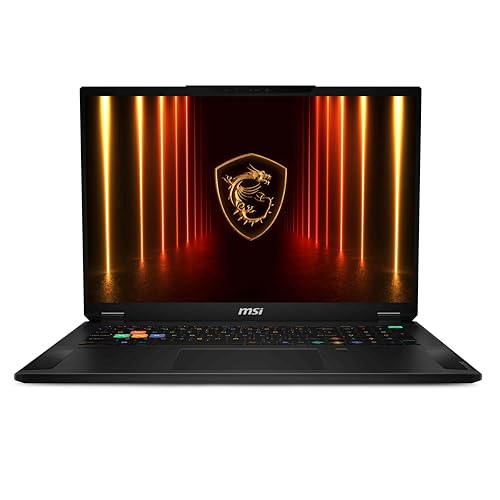
MSI Vector A18 HX A9W review
Frame rates
1920×1080, High preset, upscaling off.
Measured on this machine. Source: Notebookcheck, 2025-05-09.
Not scored: incomplete benchmark suite
Every scored laptop on this site is averaged over the same 5 games, and this one is short of Baldur's Gate 3, GTA V. A mean over 3 games is not comparable to a mean over 5, so we publish the figures we have and leave the score blank rather than rank it against machines tested on a different set. The numbers below are real - the suite is just incomplete.
How these numbers were produced
Frame rates here are not measured by us, and we label how each one was arrived at. A figure marked measured comes from a published run on that exact machine. A figure marked representative is derived from the GPU and its power limit (TGP) and cross-referenced against published reviews - a sound estimate of what that configuration delivers, but not a measurement of that specific laptop. Unless stated otherwise, numbers are 1920x1080, High preset, upscaling off. Where a laptop ships in several power configurations we use the wattage of the exact SKU listed, because a 140W RTX 5070 and a 115W one are not the same product.
In use
The short version
The MSI Vector A18 HX A9W is an eighteen-inch desktop replacement built around an RTX 5070 Ti and a Ryzen 9 9955HX, and the measured frame rates tell a more interesting story than the badge on the lid does. Notebookcheck's numbers from 9 May 2025 put it at 215fps in Dota 2, 180fps in Final Fantasy XV, 154fps in Cyberpunk 2077 and 116fps in X-Plane 11, all at 1920x1080 on the High preset with upscaling switched off. Across the three games from our scoring suite that were run, that averages 162fps.
That is a genuinely strong set of results, and the reason it is strong has as much to do with the processor as the graphics card. This is a machine that has been assembled to remove bottlenecks rather than to hit a headline GPU tier, and at the resolution these figures were captured at, that turns out to be the more effective way to spend the budget. The comparisons in our database bear it out: on shared games, this 5070 Ti machine sits level with a laptop carrying an RTX 5090 at 170W and another carrying an RTX 5080 at 175W, and it is 91fps clear of an RTX 5050 machine. Not because a 5070 Ti is secretly a 5090, but because at 1080p on High with a fast enough processor behind it, a large share of these test runs stop being a question about the graphics card at all — a point proved by the fourth comparison in the set, where a different RTX 5090 machine is 35fps ahead of this one across the same three games.
Buy it if you want an eighteen-inch screen and a big, fast, well-balanced machine that will hold high frame rates in the kind of games where high frame rates actually matter — competitive titles, driving and flight sims, anything with an engine that leans on the CPU. Do not buy it if you were planning to run every new release at the panel's native 2560x1600 with ray tracing enabled and no upscaling, because that is precisely the workload where the gap between a 5070 Ti and the tier above it reopens, and we have no measurements at that resolution to show you how wide the gap gets.
One honest caveat before anything else. We are not publishing a score for this machine. Our scoring suite is five games, and every scored laptop on the site is averaged across the same five so the ranking means something. For this configuration we have Dota 2, Cyberpunk 2077 and X-Plane 11, but no Baldur's Gate 3 and no GTA V. A three-game average and a five-game average are not the same measurement, and pretending otherwise would quietly corrupt the leaderboard. We would rather tell you the machine is quick and explain exactly which numbers support that than manufacture a rank out of a partial data set. There is also no confirmed UK price for this exact configuration in our data, which is a second reason not to score it, and a reason we will not be telling you whether it represents good value.
Performance
What the four measured games actually show
Take the results in order, because the order is the argument.
- Dota 2 — 215fps. The highest figure in the set, and the one that says the most about the processor. Dota 2's engine is not a shader-throughput problem; it is a draw-call and simulation problem, and the graphics card spends a good deal of its time waiting for the CPU to hand it the next frame's worth of work.
- Final Fantasy XV — 180fps. A conventional, if now elderly, DirectX 11 rendering workload. It is doing more per-pixel work than Dota 2 and less than a modern deferred renderer with volumetrics and ray-traced options switched on.
- Cyberpunk 2077 — 154fps. This is the useful one. Cyberpunk on High with upscaling off is a real, modern, heavy rasterisation load, and 154fps at 1080p is comfortably above what most people need.
- X-Plane 11 — 116fps. The floor, and again a processor story rather than a graphics one. Flight simulators spend enormous effort on scenery streaming, physics and single-threaded logic. The 116fps figure is the lowest number here and it is still nearly half again the refresh rate of an ordinary 60Hz monitor.
The spread from 215fps down to 116fps is a factor of roughly 1.85. That is a narrow spread by the standards of gaming laptop benchmarking, and the narrowness is itself informative. On a machine where the graphics card is the constraint, the spread across a mixed set of games is usually much wider, because a heavy modern renderer will punish a weak GPU far harder than an older or lighter engine will. Here the gap between the lightest workload and the heaviest is modest, which points to a machine where the graphics card has headroom in the lighter titles and is only really being asked to work in Cyberpunk 2077.
What the GPU's power limit means here — and what we do not know about it
This is the point at which we have to be straight with you about a gap in our data. Our fact sheet does not record the graphics power limit for this particular configuration of the Vector A18 HX. That matters more on modern laptops than almost any other single specification, and we are not going to guess at a number.
Here is why it matters, in general terms. The name on the box tells you which silicon is fitted. It does not tell you how much power the manufacturer has allowed that silicon to draw, and the permitted range for a given laptop GPU is wide enough that two machines with identical badges can differ substantially in sustained performance. A chassis that allows a card to run at the top of its range will hold higher clocks under sustained load; one that runs it well below will not, and the gap widens the longer you play. The eighteen-inch format and the 3.512kg weight both point towards a cooling system with room to work — that is essentially the entire reason a machine this size exists — but pointing towards something is not measuring it, and we would be inventing a figure if we told you what the card is configured to draw.
What we can say is this: the measured frame rates are consistent with a card that is not being obviously strangled. A 5070 Ti held down hard would not be turning in 154fps in Cyberpunk 2077 at these settings. Whether it is at the very top of its permitted range or somewhere in the upper middle, we cannot tell you from four frame rate figures, and you should treat any review that claims to know without stating the wattage with suspicion.
There is a second, related point about how these numbers were captured. Notebookcheck's runs are at 1920x1080 on High with upscaling off. Sustained-load behaviour — what happens to clocks after twenty minutes rather than two — is a separate measurement, and our data does not include it for this machine. If you are the sort of buyer who plays for four hours at a stretch, that unknown is worth weighing.
Where the spread across titles comes from
It is worth being precise about why Dota 2 lands at 215fps and X-Plane 11 at 116fps on the same hardware, because the reason changes what the numbers are useful for.
Broadly, a frame has to be prepared before it can be drawn. The processor works out what exists, where it is, what the physics did, what the AI decided, and assembles the list of things the graphics card must render. The graphics card then does the drawing. If the CPU finishes its half quickly and the GPU's half is enormous, you are GPU-limited and a faster card raises your frame rate. If the CPU's half is the slow part, you are CPU-limited, and a faster graphics card changes nothing at all.
Dota 2 and X-Plane 11 sit at opposite ends of that description in a way that is not immediately obvious. Dota 2 is CPU-heavy relative to its visual complexity, but it is also an old, extremely well-optimised engine that is simply not asking for much per frame, so the absolute number is high. X-Plane 11 is CPU-heavy in a much more punishing way — scenery streaming, flight model, weather, all of it — and its per-frame cost on the processor side is far greater. The result is that both are limited by the same component, but they land 99fps apart.
Cyberpunk 2077 at 154fps is the genuinely GPU-flavoured result in this set, and it is the one to weight most heavily if you play modern single-player games. It is also the number most likely to move if you change resolution, because a GPU-limited workload scales with pixel count in a way a CPU-limited one does not.
Final Fantasy XV at 180fps sits between the two. It is a real rendering load with a real cost, but it predates the current generation of engine techniques and it is not asking a 5070 Ti for anything it cannot supply easily at this resolution.
The 12GB VRAM question
The card here carries 12GB of video memory. At the resolution these figures were captured at, that is not a constraint — 1080p on High is well inside what 12GB comfortably holds. The question is what happens at the panel's native 2560x1600, which is about 1.97 times as many pixels as 1080p.
Video memory pressure does not scale purely with resolution — texture data, which is usually the largest consumer, is largely resolution-independent, while framebuffers, depth buffers and various screen-space effect buffers do scale. So moving from 1080p to 1600p increases the requirement, but not proportionally. Where 12GB becomes a live concern is the combination of high resolution, a texture pack pushed beyond High, and ray tracing, which adds its own structures in memory. That is a real scenario for someone buying an eighteen-inch machine intending to play at native resolution, and it is the single most likely way this configuration ages awkwardly.
We are not going to tell you it will or will not be a problem for you, because we have no measurements at 1600p to base that on. We will say that if you are choosing between this and a machine with more video memory, and you specifically intend to run native resolution with maximum textures, that is the axis on which the decision should turn — not the 1080p frame rates, which will not show you the difference.
The processor is doing more work than the badge suggests
The Ryzen 9 9955HX is the part that makes this set of numbers make sense. The HX suffix marks it as a desktop-derived design running at mobile power limits rather than a chip designed from the outset for a thin machine, and in a chassis of this size there is room to let it stretch.
Two of the four measured games — Dota 2 and X-Plane 11 — are workloads where that choice pays directly. A third, Final Fantasy XV, benefits partially. Only Cyberpunk 2077 is primarily a graphics test at these settings. So three of the four figures in front of us are, to varying degrees, measurements of how good the processor is at feeding the graphics card, and the answer is that it is very good at it.
This matters for buying decisions in a specific way. If your library is competitive shooters, MOBAs, strategy games, driving sims and flight sims, a machine configured like this one — strong processor, capable but not flagship graphics card — will serve you better than the reverse configuration at similar money, because those genres are where the processor is the limiting factor and where high frame rates have a tangible effect on how the game feels. If your library is modern single-player showcase titles played at native resolution with everything turned up, you want the opposite balance, and the 1080p figures here will actively mislead you about what you are getting.
What 162fps across the scoring games means in practice
The three-game average of 162fps is a useful summary number as long as you remember what it is averaging. It is Dota 2 at 215fps, Cyberpunk 2077 at 154fps and X-Plane 11 at 116fps, so it sits close to the middle of a fairly tight distribution rather than being dragged around by an outlier.
Practically, an average in that region at 1080p High means that essentially nothing in the measured set is a struggle, and that the machine has meaningful headroom for raising settings, raising resolution, or both. Every one of the four figures clears 100fps. Every one clears the 60fps threshold by a wide margin. The lowest of them, 116fps, is still comfortable on a 120Hz display and only moderately short of the 240Hz panel this machine actually ships with.
That last point is where the analysis has to move to the screen, because a 240Hz panel changes what "enough" means.
The screen
Eighteen inches, 2560x1600, 240Hz, IPS. Each of those four facts pulls in a slightly different direction and it is worth taking them separately.
The size and resolution pairing
2560x1600 across eighteen inches gives a pixel density that is lower than the same resolution on a sixteen-inch panel — the same pixels spread over more area. In practice that means text and interface elements are physically larger at the same scaling setting, which many people find easier to read, and it means individual pixels are marginally more visible if you sit close. Neither is a flaw; it is a trade, and on a machine this size you are not going to be sitting as close as you would to a fourteen-inch laptop anyway.
The 16:10 aspect ratio is the right choice for a machine that will spend time doing non-gaming work. The extra vertical space is genuinely useful in documents, code, timelines and spreadsheets, and in games it either gives you slightly more vertical field of view or is handled by the engine without incident.
The important consequence of 2560x1600 is the one already flagged: it is roughly twice the pixel count of the resolution these frame rates were measured at. In the titles where the graphics card is the limit — Cyberpunk 2077 most clearly — running at native rather than 1080p will cost a substantial amount of performance. In the titles where the processor is the limit, it will cost much less, and in Dota 2 it may cost very little indeed. We do not have native-resolution figures, so we are describing the shape of the effect rather than its size.
Can the GPU drive 240Hz?
Partly, and the honest answer depends entirely on which game you mean.
At the resolution measured, nothing in this set reaches 240fps. Dota 2 comes closest at 215fps, which is close enough that the panel is doing real work — a 215fps signal on a 240Hz display is meaningfully smoother and lower-latency than the same signal on a 144Hz one, and variable refresh handles the mismatch. Final Fantasy XV at 180fps and Cyberpunk 2077 at 154fps are both well above 144Hz and well below 240Hz; you are getting genuine benefit from the panel's speed without saturating it. X-Plane 11 at 116fps is the one where the 240Hz specification is close to irrelevant.
Now apply the resolution caveat. Those are 1080p figures on a 1600p panel. Run these games at the panel's native resolution and the ones that were GPU-limited will fall further from 240fps. Competitive players who want to actually use 240Hz will do what competitive players always do — drop the resolution, drop the settings, or both — and the machine is well equipped for that, because the processor behind the card is strong enough that lowering graphics settings will keep producing gains rather than hitting a CPU wall early.
The realistic read is that this is a 240Hz panel bought for esports and competitive play, where you will run reduced settings and get near it, rather than a 240Hz panel you will saturate in Cyberpunk 2077. That is true of essentially every 240Hz gaming laptop and it is not a criticism of this one. It is a criticism of the way refresh rates are marketed.
IPS rather than OLED
The panel technology here is IPS. Against OLED, IPS gives up black level, contrast and per-pixel response, which in practice means dark scenes look greyer and fast motion is slightly less crisp. In exchange, IPS has no burn-in risk, which is a genuine consideration on a machine that will display the same taskbar, the same game HUD and the same application chrome for thousands of hours, and it typically sustains full brightness across the whole screen rather than dimming as more of the panel lights up.
For a desktop replacement that will spend large parts of its life displaying static interface elements, IPS is a defensible and arguably correct choice. For someone who mostly plays cinematic single-player games in a dark room, OLED would be the more satisfying panel. We have no measured brightness, contrast or colour coverage figures for this display in our data, so we cannot tell you where this particular IPS panel sits within the wide range of IPS panels — and that range is very wide.
Build, size and portability
3.512kg, eighteen inches, 99Wh battery. Those three numbers between them define what this machine is and, more usefully, what it is not.
The weight is the whole argument
Three and a half kilograms is the weight of the laptop alone. Add the power supply a machine like this needs — and an eighteen-inch laptop with an HX processor and a 5070 Ti needs a substantial one — and the travelling weight is meaningfully higher again. Our fact sheet does not record the adapter's weight, so we will not put a number on the total, but the direction is not in doubt.
What this means practically is that the Vector A18 HX is a machine that moves rather than a machine you carry. It goes from a desk to a bag to another desk. It goes home at the end of term and comes back at the start of the next one. It does not go in a rucksack on a daily commute in any way you will enjoy, and it does not perch comfortably on a train tray table, because an eighteen-inch chassis physically does not fit on most of them with the lid at a usable angle.
If you have been telling yourself you will take an eighteen-inch laptop to a coffee shop, be honest about whether that is true. Most people who buy one discover it lives on a desk permanently, which is fine — that is the intended use — but it is worth deciding deliberately rather than discovering it after the money is spent.
What the size buys you
The trade is real and it is in your favour if you accept the premise. A larger chassis has more internal volume for heatsinks, more surface area for exhaust vents, more room for larger and therefore slower-spinning fans, and more physical distance between the hot components and your hands. That is why a machine of this size can plausibly run an HX-class processor and a 5070 Ti without either of them being throttled to a fraction of their potential, and it is the most likely explanation for a set of frame rates this healthy.
We do not have measured temperature or noise figures for this machine, so we cannot tell you how loud it gets or how hot the keyboard becomes under load. Those are exactly the measurements that separate a well-executed large chassis from a merely large one, and their absence is a genuine gap in what we can tell you. What we can say is that the physics favour the format, and that the frame rates do not suggest a machine fighting its own cooling.
The eighteen-inch screen is also, obviously, the point. If you want a large display and you do not want a separate monitor, this is what that looks like. A machine this size is very close to being a portable desktop, and for a lot of people — students in shared accommodation, anyone who moves between two fixed locations, anyone without room for a tower and a monitor — that is exactly the right shape of computer.
The battery
99Wh is not an accident. The limit for lithium batteries in aircraft cabin baggage is 100Wh, and manufacturers who want their machines to be flyable specify just under it. So the Vector A18 HX has the largest battery it is legally practical to fit, which is the correct decision.
What we cannot tell you is how long it lasts, because our data does not include a measured runtime figure for this machine, and we are not going to estimate one. What is safe to say is structural: an HX-class processor and a discrete graphics card of this tier draw a great deal of power under load, far more than any battery of this capacity can supply for long, and gaming on battery on machines of this class typically involves both reduced performance and a short session. The 99Wh capacity is there to make the machine usable for ordinary work away from a socket, not to make it a portable gaming device. Treat the mains adapter as part of the machine, not an accessory.
Storage and memory
2TB of SSD and 32GB of memory are both, for once, specifications that need very little argument. 2TB is enough for a substantial game library without constant reinstalling — a single large modern title can occupy well over 100GB, so the difference between 1TB and 2TB is the difference between managing your library and not thinking about it. 32GB of memory is comfortably above what current games require and gives room for the machine to do serious non-gaming work: virtual machines, large project files, video editing timelines, many browser tabs alongside a running game.
Neither is a headline feature. Both are the kind of specification that quietly stops being a problem, which is what you want.
How it compares
Our database matches machines only on games both have been measured in, which keeps the comparison honest but constrains it. Every comparison below rests on three shared games, because three is all this machine has been measured in from our scoring suite. Treat the pattern across the four rivals as the finding, rather than any single pairing.
The rivals are all from the same graphics generation, which matters. Comparing a current card against a two-generation-old one tells you mostly about the passage of time. Comparing it against its own contemporaries tells you what your money is actually choosing between this year.
Against the MSI Cyborg 15 — 91fps clear
The Cyborg carries an RTX 5050 and sells for £984. Across three shared games, the Vector A18 HX averages 91fps ahead of it.
This is the largest gap in the comparison set and the most straightforwardly useful one, because it is the only rival here with a confirmed UK price. Ninety-one frames is not a rounding error or a testing artifact. It is a different class of experience — the difference between a machine that comfortably exceeds a high-refresh panel in most of what it runs and one that is working hard to stay above the threshold where high refresh means anything at all.
It also establishes the shape of the market. At £984 you get the entry point of the current generation in a 15-inch chassis. The Vector A18 HX is a substantially larger machine with a far stronger processor, a much more capable graphics card, twice the storage of most budget configurations and an 18-inch high-refresh panel — and it is 91fps faster in the games they share. What we cannot tell you is whether the price gap is proportionate, because we have no confirmed UK price for the Vector. That is the entire reason this page carries no score.
What this comparison does give you is a floor. If the Vector costs less than about twice the Cyborg, the frame rate argument is comfortably on its side. If it costs several times as much, the argument gets harder, and you would be paying substantially for the screen size, the memory, the storage and the processor rather than for frames alone. Check the current price before deciding, because that judgement flips on a number we do not have.
Against the MSI Titan 18 HX AI and the Alienware 16 Area-51 — level with both
Two comparisons, both effectively ties across three shared games. The Titan 18 HX AI carries an RTX 5090 configured at 170W; the Alienware 16 Area-51 with a Core Ultra 9 290HX carries an RTX 5080 at 175W. Neither has a confirmed UK price in our data.
Read carelessly, that says a 5070 Ti equals a 5090 and a 5080. It does not, and understanding why is the single most valuable thing on this page.
The three shared games are the ones this machine has scoring-suite figures for, and two of the three — Dota 2 and X-Plane 11 — are titles where the processor, not the graphics card, sets the frame rate. Dota 2 is light to draw and heavy to simulate. X-Plane 11 is a flight simulator, which means scenery streaming, flight model and simulation logic dominate the frame time. In both, the graphics card spends a meaningful share of each frame waiting for work, and fitting a larger one produces almost nothing.
So a comparison built from those games is, for the most part, a comparison of processors and cooling systems, not of graphics cards. The Vector's Ryzen 9 9955HX is a strong desktop-derived part in a chassis with room to feed it, and against machines with comparably strong processors it will land in the same place regardless of what card sits alongside it.
The practical consequence is real and worth acting on: if you play at settings near the ones measured — 1080p on High, or 1600p with upscaling doing the work — then in these genres the more expensive cards in these rivals are not buying you frames. That is an expensive mistake to make, and the data here says plainly that it is available to make.
What the comparison does not say is that the cards are equivalent. It says the test did not ask them to differ. Raise the resolution, turn on ray tracing, run something that genuinely saturates the graphics card, and they would separate. We have no measurements at those settings, so we cannot show you the separation — but the next comparison demonstrates that it exists.
Against the Schenker XMG Neo 16 A25 — 35fps behind
The Neo 16 A25 carries an RTX 5090, with no confirmed UK price in our data and no power figure recorded. Across three shared games, the Vector A18 HX averages 35fps behind it.
This is the comparison that makes sense of the two above, and it is the reason we would rather show you a spread of rivals than only the nearest ones.
Two machines in this set carry an RTX 5090. One of them ties the Vector. The other is 35 frames clear of it across the same three games. Those two facts cannot both be explained by the graphics card's model name, because the model name is identical. What differs is everything else — how much power each chassis gives its card, how effectively it is cooled, what processor sits behind it, and how the machine behaves when the workload actually asks something of the silicon.
Thirty-five frames across a three-game set that contains two processor-limited titles is a substantial gap. It means that in whichever of those games is genuinely graphics-limited, the difference must be considerably larger than 35fps for the average to land there. That is the genuine 5070 Ti to 5090 gap becoming visible through a test that mostly conceals it.
The lesson generalises well beyond these two laptops. A graphics card's name tells you which silicon is fitted, not what the machine does with it, and the spread between two laptops with identical cards can be larger than the spread between two different card tiers. That is why we would want the Vector's power limit recorded in our data, and why we will not guess at it.
Reading the set as a whole
Four rivals, all from the current generation, and the Vector A18 HX lands 91fps ahead of the cheapest, level with a 5080 and one 5090, and 35fps behind another 5090. That is a coherent picture rather than a confusing one.
It places this machine solidly in the upper-middle of the current generation: far beyond the entry-level, competitive with well-configured higher-tier machines in the titles measured, and short of what the best-implemented flagship configurations can do when the workload lets them show it. For the money — whatever the money turns out to be — that is a respectable position, and the processor is doing a great deal of the work that puts it there.
Who it's for
Buy it if
You want an eighteen-inch machine that is genuinely a desktop replacement. The size is the point. If you do not have room for a tower and a monitor, or you move between two fixed locations, an eighteen-inch laptop is a coherent answer to a real problem and this one appears to be a well-balanced example.
Your library leans towards CPU-bound genres. Competitive shooters, MOBAs, strategy, driving and flight simulation. Dota 2 at 215fps and X-Plane 11 at 116fps are both, in their different ways, evidence that the processor here is strong and is being allowed to work. That is where a machine configured like this beats machines that spent more of the budget on the graphics card and less on everything behind it.
You play at or near 1080p, or you use upscaling. The measured figures are at 1080p with upscaling off. If that is close to how you play — and with modern upscalers, an effective internal resolution near 1080p while outputting 1600p is an extremely common configuration — these numbers translate reasonably directly to your experience.
You want one machine for gaming and serious work. 64GB would be better for the heaviest professional workloads, but 32GB of memory, 2TB of storage, an HX-class processor and a large 16:10 display make a capable workstation. The IPS panel's immunity to burn-in is a real advantage for anyone who leaves static interfaces on screen all day.
Buy something else if
You need to carry it regularly. 3.512kg plus an adapter is not a commuting machine, and eighteen inches does not fit on a train table. If portability matters at all, a sixteen-inch machine will cost you some performance headroom and save you a great deal of daily aggravation. Be honest with yourself about this one before you buy, not after.
You intend to run everything at native 2560x1600 with ray tracing and no upscaling. This is where 12GB of video memory and a 5070 Ti's shader budget are most exposed, and where the parity with 5090 machines shown above would not hold. We have no measurements at that resolution, so we cannot quantify the gap — but if that is your intended use, the 1080p figures on this page are not the evidence you should be deciding on.
You want the deepest possible black levels. The IPS panel is the right call for a work-and-play desktop replacement, but if you play cinematic single-player games in a dark room and contrast is what you notice, an OLED machine will please you more. That is a genuine trade rather than a defect, and it points at a different machine rather than a different configuration of this one.
You want a scored, ranked recommendation from us. We cannot give you one here. The scoring suite is five games and this configuration has been measured in three of them, and there is no confirmed UK price in our data to compute value against. Both gaps are real and neither is the machine's fault. What we can tell you is what the four measured figures show and what they do not, which is what this review has tried to do.
What we do not know
In the interests of the site's own proposition, the gaps stated plainly in one place. We have no confirmed UK price for this configuration. We have no figures for Baldur's Gate 3 or GTA V, so no scoring-suite average comparable to other machines on the site. We have no recorded graphics power limit for this configuration, which is the specification we would most want. We have no measured battery runtime, no temperature figures, no noise figures, and no measured brightness, contrast or colour data for the display. We have no frame rates at the panel's native 2560x1600, which is the resolution most owners will actually play at.
That is a substantial list, and it constrains how confident this review can reasonably be. What it does not constrain is the reading of the four figures we do have: this is a fast machine with a strong processor, holding its own against flagship-tier laptops in the titles measured, in a chassis whose size is the reason it can. Whether that is worth what MSI is charging is a question we cannot answer until a price lands in our data.